
Pastel WordPress Themes
Pastel branding needs more than pale colors when WordPress content changes over time. A theme-based workflow keeps shared styling recognizable while pages, posts, images, and other CMS content can evolve.










More Website & HTML Templates for Pastel


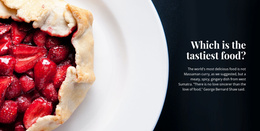
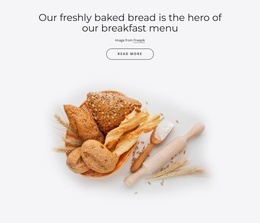
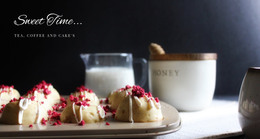



More WordPress Themes from Art & Design Category









































Other Art & Design WordPress Themes
Adaptable Pastel WordPress Themes
A pastel look is easy to keep on one homepage and surprisingly easy to lose by the fortieth blog post. Pastel WordPress themes set the palette, typefaces, and header design at the theme level. Every new post, category archive or product page picks them up automatically, while the content itself changes as often as you publish.
Where a Soft Palette Gets Tested
The homepage rarely shows the weak spots. They surface deeper in a WordPress site, in places like these:
- the blog archive, where dozens of featured images from different shoots share one grid;
- a long single post, where pale backgrounds and light gray text tire the eye after a few paragraphs;
- WooCommerce product grids, if you sell, where prices and "Add to cart" buttons need a stronger tint to remain visible.
On a lifestyle blog, the archive is the first place to look. Photos uploaded over the years rarely share one palette, and a theme that frames thumbnails with a cream border or a soft overlay keeps that grid from turning into a patchwork. Sidebar widgets and the footer, if the theme uses them, appear on every post too, so they need the same tints as the header.
Checks Before Installing
Theme demos are generous with styled homepages, so go through a short list before the theme reaches your dashboard:
- make sure post, archive, and category layouts are styled along with the homepage;
- confirm that colors and fonts can be adjusted later without rebuilding the theme;
- read a post on a phone to see whether body text stays dark enough on the pale background.
With Nicepage, a pastel theme is designed and exported from the Desktop Application. The WordPress Theme and Pages installation guide explains how the theme and plugin package goes onto WordPress together with the related content. Once installed, the plugin's Site Style settings let you change colors and fonts in WordPress, while larger layout edits happen in the desktop app. That split keeps small seasonal tweaks, such as a warmer accent for fall, inside the dashboard.
Blogging Weekly or Selling Daily
Your publishing rhythm sets the review order. A recipe blog that posts twice a week leans on category and tag archives, so those come first. A boutique running WooCommerce gets most visits from product grids and product pages, which puts button contrast at the top of the list. Install the demo content and publish a real post, a portfolio project, or a product, depending on what you run. Then check them on a phone before the theme goes live.