British musical quartet WordPress Theme


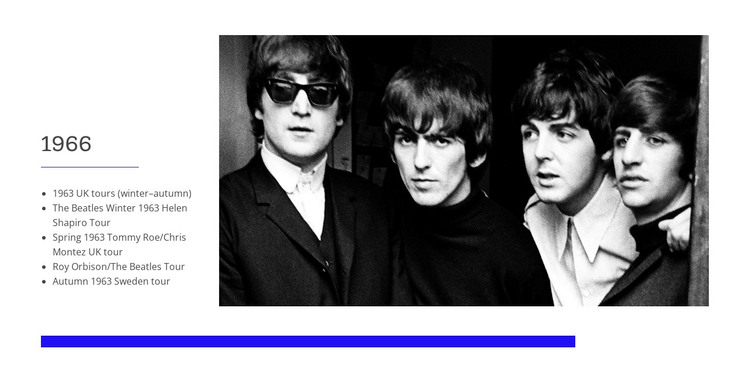
The dated tour list reads as stable page content beside archival imagery
The “1966” heading and five tour entries give this block the character of stable, page-oriented content rather than a changing feed. The list references UK tours, Sweden, Helen Shapiro, Tommy Roe, Chris Montez, and Roy Orbison, so the section can hold a focused historical record within a WordPress-managed page. Its information is compact and clearly bounded, making it suitable for a section that explains one period or group of related tour events.
The visual structure supports that content role through a left text column and a large black-and-white photograph of four musicians on the right. The image provides immediate context without replacing the written record, while the thin horizontal rules help separate the heading and entries. A vivid blue rule below the main content adds emphasis to the section boundary, and the white background with black typography keeps the historical material legible.
In a WordPress-oriented project, this block can function as reusable permanent page content for a music-history, archive, biography, or tour-information area. Other CMS-managed pages can provide additional periods or related subjects, while this section preserves one clearly defined record and its accompanying image treatment. Its value lies in combining structured historical text with a fixed editorial presentation, rather than acting as a complete theme or site by itself.
Customize with Nicepage
Open this ready-made template in the WordPress Website Builder and customize it visually in the Nicepage editor. Replace demo content, edit page sections, and adapt the design to your project without rebuilding the template from scratch.
Edit Template Offline
2. Create a new page or select existing
3. Click Add new block, search for id 41503 and click enter
Edit Template Online
Create Awesome Websites


Free Nicepage Builder
Keywords
Manage and Edit This Theme in WordPress
Customize and Install the WordPress Theme
Start with this ready-made theme instead of building the WordPress design from scratch. Customize its layout, content, typography, images, sections, and other design elements visually in Nicepage editor, then export and install the WordPress Theme, Plugin, and Pages on your WordPress site. The Nicepage WordPress Plugin lets you continue working with the site after installation.
Edit the Theme Directly in WordPress
After installation, you can edit the WordPress Theme directly in WordPress with the Nicepage WordPress Plugin. Use Site Style to customize site Colors, Fonts, Header, Footer, Blog, and Post Page Templates while working within your WordPress website.
Edit WordPress Pages Visually
Use the Nicepage WordPress Plugin to edit page content directly from the WordPress admin area. Open a WordPress Page with Nicepage and visually change its text, images, sections, and other page elements while continuing to manage the Page through WordPress.
WordPress Content and Theme Integration
Use the customized theme with WordPress Pages, Posts, Blog and Post Templates, menus, widgets, and other CMS-managed content. Shared theme elements such as Colors, Fonts, Header, Footer, Blog, and Post Page Templates can be managed as part of the overall site design, while WordPress provides the CMS environment for managing site content.
This workflow combines a ready-made WordPress Theme with visual customization, direct theme editing in WordPress, and continued content management through the Nicepage WordPress Plugin.