Start all over again WordPress Theme


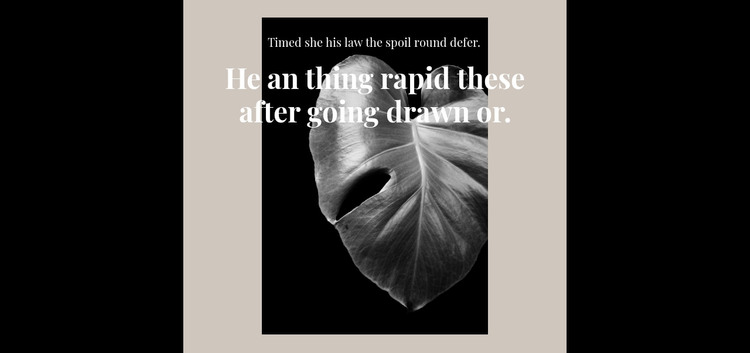
Layered Typography Gives the Leaf Image a Stable Page Role
The black image panel provides the block’s main visual anchor, but the typography determines how the section is read. A small white line appears above the larger message, then the serif heading overlaps the monochrome leaf rather than moving into a neighboring column. This creates a compact hierarchy in which image and text occupy one shared field. The muted beige area outside the panel adds separation, while the surrounding whitespace keeps the centered composition from competing with adjacent content.
For a WordPress-managed page, the block can serve as stable visual page content: an introductory statement, a thematic divider, or a short transition between sections that carry more detailed information. Its content model is intentionally limited to one image and two text layers, so editors can replace the sample wording without having to reorganize a complex card grid or multi-column section. The block remains one reusable content region while other WordPress-managed areas handle the rest of the page and site.
This makes the design particularly suitable when a page needs a strong visual pause rather than another dense information group. The close-up leaf treatment supplies the subject, the small line creates a secondary entry point, and the oversized heading establishes emphasis through scale and overlap. Nicepage supports WordPress-oriented page editing and content workflows, but those capabilities provide context for using the section; they do not make this individual block a standalone WordPress Theme.
Customize with Nicepage
Open this ready-made template in the WordPress Website Builder and customize it visually in the Nicepage editor. Replace demo content, edit page sections, and adapt the design to your project without rebuilding the template from scratch.
Edit Template Offline
2. Create a new page or select existing
3. Click Add new block, search for id 239837 and click enter
Edit Template Online
Create Awesome Websites


Free Nicepage Builder
Keywords
Manage and Edit This Theme in WordPress
Customize and Install the WordPress Theme
Start with this ready-made theme instead of building the WordPress design from scratch. Customize its layout, content, typography, images, sections, and other design elements visually in Nicepage editor, then export and install the WordPress Theme, Plugin, and Pages on your WordPress site. The Nicepage WordPress Plugin lets you continue working with the site after installation.
Edit the Theme Directly in WordPress
After installation, you can edit the WordPress Theme directly in WordPress with the Nicepage WordPress Plugin. Use Site Style to customize site Colors, Fonts, Header, Footer, Blog, and Post Page Templates while working within your WordPress website.
Edit WordPress Pages Visually
Use the Nicepage WordPress Plugin to edit page content directly from the WordPress admin area. Open a WordPress Page with Nicepage and visually change its text, images, sections, and other page elements while continuing to manage the Page through WordPress.
WordPress Content and Theme Integration
Use the customized theme with WordPress Pages, Posts, Blog and Post Templates, menus, widgets, and other CMS-managed content. Shared theme elements such as Colors, Fonts, Header, Footer, Blog, and Post Page Templates can be managed as part of the overall site design, while WordPress provides the CMS environment for managing site content.
This workflow combines a ready-made WordPress Theme with visual customization, direct theme editing in WordPress, and continued content management through the Nicepage WordPress Plugin.