AI Future Technologies WordPress Theme


Edit Template Offline
2. Create new page and search for id 6370793
Edit Template Online
Create Awesome Websites


Free Nicepage Builder
Keywords
Service and Project Content Can Anchor a WordPress Theme
The three service cards create a compact page-oriented content group around Automation, Optimization, and Insights. Alongside them, Neuro Vision gives the design a named project area focused on an AI-based image-recognition and analysis system. These sections can be interpreted as permanent agency content in a WordPress-managed site: one explains the service direction, while the other demonstrates how a project or case-focused area could be presented.
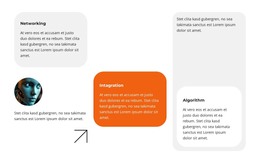
The design also contains recurring content patterns that can support future editorial expansion without claiming that posts or blog structures already exist. Three team profiles provide people-focused entries, testimonials provide two attributed quotation cards, and the organization cards offer a repeated visual format. Digital AI Assistants, predictive analytics, AI education, and ethics add related subjects that could be developed into page content or future updates while preserving the template’s light surfaces, rounded panels, and AI imagery.
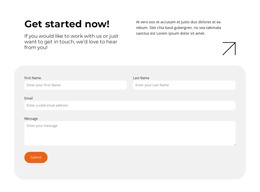
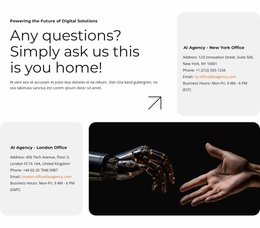
At the end, New York and London office areas establish location-based contact content, and the form collects first name, last name, email, and message details. These permanent sections give the theme a clear content foundation; regularly updated WordPress material could later be added around them if required. The sample names, testimonials, addresses, and metrics remain demo content and should not be presented as verified business information.
Customize with Nicepage
Open this ready-made template in the WordPress Website Builder and customize it visually in the Nicepage editor. Replace demo content, edit page sections, and adapt the design to your project without rebuilding the template from scratch.
Manage and Edit This Theme in WordPress
Customize and Install the WordPress Theme
Start with this ready-made theme instead of building the WordPress design from scratch. Customize its layout, content, typography, images, sections, and other design elements visually in Nicepage editor, then export and install the WordPress Theme, Plugin, and Pages on your WordPress site. The Nicepage WordPress Plugin lets you continue working with the site after installation.
Edit the Theme Directly in WordPress
After installation, you can edit the WordPress Theme directly in WordPress with the Nicepage WordPress Plugin. Use Site Style to customize site Colors, Fonts, Header, Footer, Blog, and Post Page Templates while working within your WordPress website.
Edit WordPress Pages Visually
Use the Nicepage WordPress Plugin to edit page content directly from the WordPress admin area. Open a WordPress Page with Nicepage and visually change its text, images, sections, and other page elements while continuing to manage the Page through WordPress.
WordPress Content and Theme Integration
Use the customized theme with WordPress Pages, Posts, Blog and Post Templates, menus, widgets, and other CMS-managed content. Shared theme elements such as Colors, Fonts, Header, Footer, Blog, and Post Page Templates can be managed as part of the overall site design, while WordPress provides the CMS environment for managing site content.
This workflow combines a ready-made WordPress Theme with visual customization, direct theme editing in WordPress, and continued content management through the Nicepage WordPress Plugin.