Freeze Frame Moments WordPress Theme


A Stable Visual Content Area for WordPress Pages
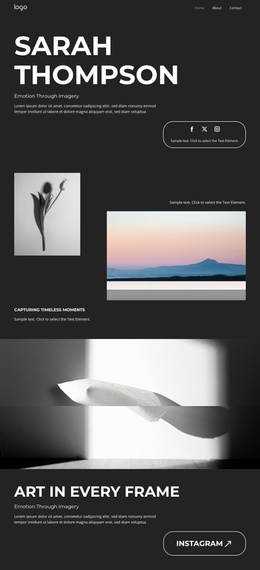
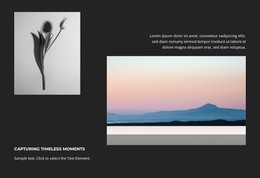
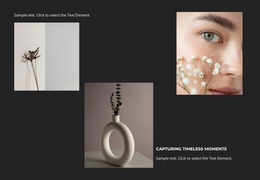
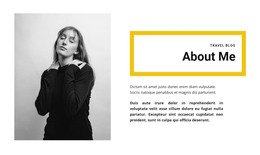
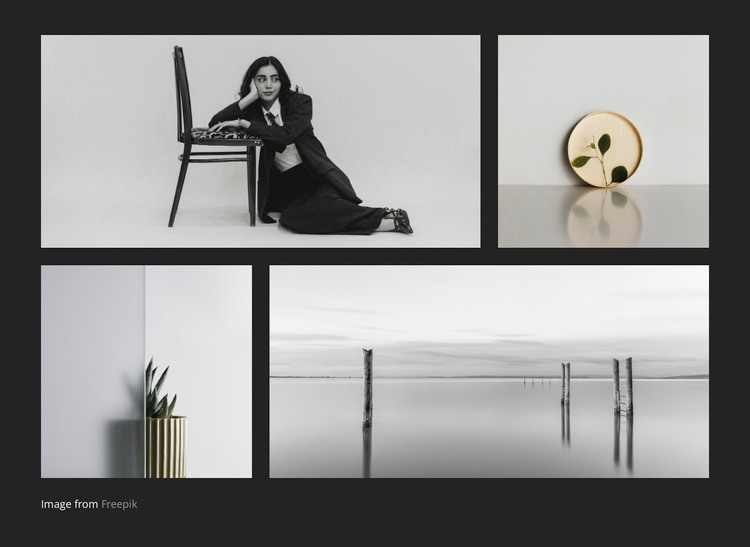
The four-image gallery reads as durable page content rather than a time-sensitive feed. Its two-row structure gives the section a defined visual role: a wide tile sits beside a narrow tile in the first row, and the second row reverses that proportion. This arrangement can remain consistent while surrounding page copy, project information, or other managed content develops around it in a WordPress-oriented site.
The dark charcoal background provides a stable frame for the seated woman, circular botanical artwork, potted plant, and minimalist waterscape, while generous gutters keep the four visual items distinct. The small “Image from Freepik” credit occupies a separate area beneath the tiles and preserves the attribution relationship within the page section. In a WordPress context, this block can function as reusable gallery content on a portfolio, art, design, or photography-oriented page, with the wider project handling other publishable areas and site functions. The block itself remains one visual content region rather than a complete theme. Its practical contribution is a prepared presentation that can be kept visually consistent as the broader WordPress-managed page grows or changes.
Customize with Nicepage
Open this ready-made template in the WordPress Website Builder and customize it visually in the Nicepage editor. Replace demo content, edit page sections, and adapt the design to your project without rebuilding the template from scratch.
Edit Template Offline
2. Create a new page or select existing
3. Click Add new block, search for id 6351822 and click enter
Edit Template Online
Create Awesome Websites


Free Nicepage Builder
Keywords
Manage and Edit This Theme in WordPress
Customize and Install the WordPress Theme
Start with this ready-made theme instead of building the WordPress design from scratch. Customize its layout, content, typography, images, sections, and other design elements visually in Nicepage editor, then export and install the WordPress Theme, Plugin, and Pages on your WordPress site. The Nicepage WordPress Plugin lets you continue working with the site after installation.
Edit the Theme Directly in WordPress
After installation, you can edit the WordPress Theme directly in WordPress with the Nicepage WordPress Plugin. Use Site Style to customize site Colors, Fonts, Header, Footer, Blog, and Post Page Templates while working within your WordPress website.
Edit WordPress Pages Visually
Use the Nicepage WordPress Plugin to edit page content directly from the WordPress admin area. Open a WordPress Page with Nicepage and visually change its text, images, sections, and other page elements while continuing to manage the Page through WordPress.
WordPress Content and Theme Integration
Use the customized theme with WordPress Pages, Posts, Blog and Post Templates, menus, widgets, and other CMS-managed content. Shared theme elements such as Colors, Fonts, Header, Footer, Blog, and Post Page Templates can be managed as part of the overall site design, while WordPress provides the CMS environment for managing site content.
This workflow combines a ready-made WordPress Theme with visual customization, direct theme editing in WordPress, and continued content management through the Nicepage WordPress Plugin.