Freelance designeer and developer WordPress Theme



Edit Template Offline
2. Create new page and search for id 6343408
Edit Template Online
Create Awesome Websites


Free Nicepage Builder
Keywords
Portfolio Pages and Article Content Share One Personal Theme Direction
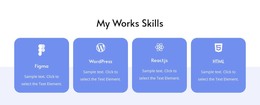
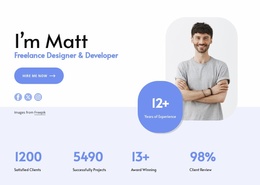
The permanent portfolio content is clearly divided into several page-oriented areas. Matt’s introduction and the four development capabilities can explain the person and services, while the six work samples provide a dedicated place for selected projects. The skill cards for Figma, WordPress, React.js, and HTML add concise technical context, and the client-logo strip plus testimonial-style area support the work without turning every section into a project listing.
The three cards under “Latest Tips & Tricks” introduce a different content relationship. Their titles, dates, excerpts, and read-more actions resemble an editorial area that can sit alongside the more stable profile, service, and portfolio sections. The design therefore supports a useful distinction between information visitors may review as part of the permanent portfolio and content that could be updated over time. The analysis confirms these three displayed article cards, but does not prove an existing WordPress Posts structure.
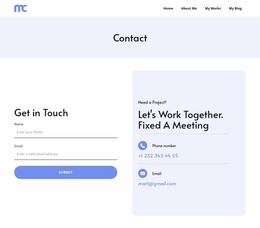
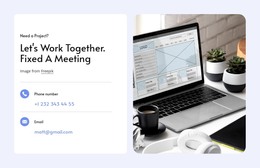
The meeting invitation, direct contact details, closing form, and social footer provide shared site elements that can remain visible around changing content. In a WordPress-oriented project, this arrangement can preserve one personal visual direction while page content and future articles are managed separately. The value comes from the relationship between portfolio proof and publishable advice, not from simply relabeling the design as a theme.
Customize with Nicepage
Open this ready-made template in the WordPress Website Builder and customize it visually in the Nicepage editor. Replace demo content, edit page sections, and adapt the design to your project without rebuilding the template from scratch.
Manage and Edit This Theme in WordPress
Customize and Install the WordPress Theme
Start with this ready-made theme instead of building the WordPress design from scratch. Customize its layout, content, typography, images, sections, and other design elements visually in Nicepage editor, then export and install the WordPress Theme, Plugin, and Pages on your WordPress site. The Nicepage WordPress Plugin lets you continue working with the site after installation.
Edit the Theme Directly in WordPress
After installation, you can edit the WordPress Theme directly in WordPress with the Nicepage WordPress Plugin. Use Site Style to customize site Colors, Fonts, Header, Footer, Blog, and Post Page Templates while working within your WordPress website.
Edit WordPress Pages Visually
Use the Nicepage WordPress Plugin to edit page content directly from the WordPress admin area. Open a WordPress Page with Nicepage and visually change its text, images, sections, and other page elements while continuing to manage the Page through WordPress.
WordPress Content and Theme Integration
Use the customized theme with WordPress Pages, Posts, Blog and Post Templates, menus, widgets, and other CMS-managed content. Shared theme elements such as Colors, Fonts, Header, Footer, Blog, and Post Page Templates can be managed as part of the overall site design, while WordPress provides the CMS environment for managing site content.
This workflow combines a ready-made WordPress Theme with visual customization, direct theme editing in WordPress, and continued content management through the Nicepage WordPress Plugin.