We invest WordPress Theme


Edit Template Offline
2. Create new page and search for id 6200702
Edit Template Online
Create Awesome Websites


Free Nicepage Builder
Keywords
Capability pages and repeatable offers fit the existing theme language
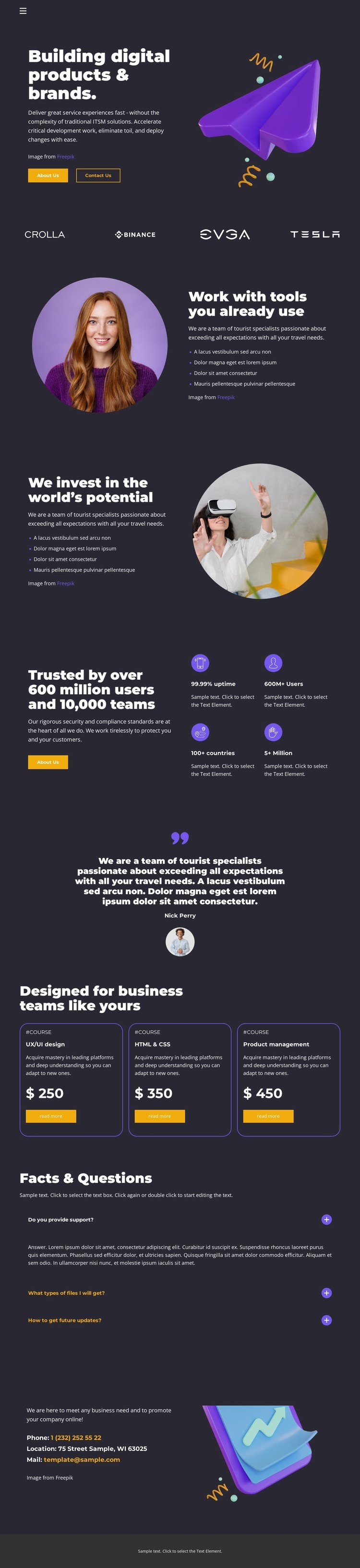
The two split capability sections provide distinct content subjects that can translate naturally into page-oriented agency content. One explains working with familiar tools through feature bullets and a circular portrait; the other presents future potential with a reversed image-and-text arrangement. The brand strip adds recognition, while the trust area and testimonial supply separate proof content rather than merging every message into the homepage introduction.
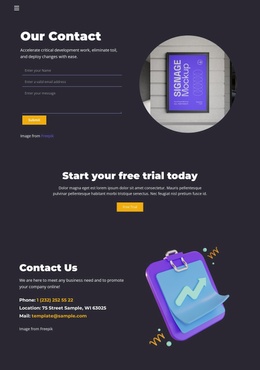
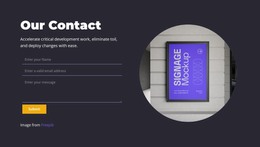
The three service package cards are especially useful as a repeatable content pattern. Their equal outlines, service descriptions, displayed prices, and action buttons make the offerings visually comparable, while the FAQ rows create a separate area for explanatory content. The contact section closes the page with contact information and a call to action, and the footer completes the shared site frame. Together, these regions distinguish permanent agency information from offer and response content.
A WordPress project could use this visual structure for pages describing capabilities, services, packages, or case-study-style material, with regularly updated content added around the same theme direction. Nicepage documentation confirms that WordPress themes can be edited directly through the Nicepage WordPress Plugin, but the template analysis does not prove that WordPress Posts, categories, or widgets already exist here. The verified value is the adaptable page and theme structure.
Customize with Nicepage
Open this ready-made template in the WordPress Website Builder and customize it visually in the Nicepage editor. Replace demo content, edit page sections, and adapt the design to your project without rebuilding the template from scratch.
Manage and Edit This Theme in WordPress
Customize and Install the WordPress Theme
Start with this ready-made theme instead of building the WordPress design from scratch. Customize its layout, content, typography, images, sections, and other design elements visually in Nicepage editor, then export and install the WordPress Theme, Plugin, and Pages on your WordPress site. The Nicepage WordPress Plugin lets you continue working with the site after installation.
Edit the Theme Directly in WordPress
After installation, you can edit the WordPress Theme directly in WordPress with the Nicepage WordPress Plugin. Use Site Style to customize site Colors, Fonts, Header, Footer, Blog, and Post Page Templates while working within your WordPress website.
Edit WordPress Pages Visually
Use the Nicepage WordPress Plugin to edit page content directly from the WordPress admin area. Open a WordPress Page with Nicepage and visually change its text, images, sections, and other page elements while continuing to manage the Page through WordPress.
WordPress Content and Theme Integration
Use the customized theme with WordPress Pages, Posts, Blog and Post Templates, menus, widgets, and other CMS-managed content. Shared theme elements such as Colors, Fonts, Header, Footer, Blog, and Post Page Templates can be managed as part of the overall site design, while WordPress provides the CMS environment for managing site content.
This workflow combines a ready-made WordPress Theme with visual customization, direct theme editing in WordPress, and continued content management through the Nicepage WordPress Plugin.