Cakes and baking food WordPress Theme


Edit Template Offline
2. Create new page and search for id 24984
Edit Template Online
Create Awesome Websites


Free Nicepage Builder
Keywords
Product Groups and Permanent Page Content Share One Visual System
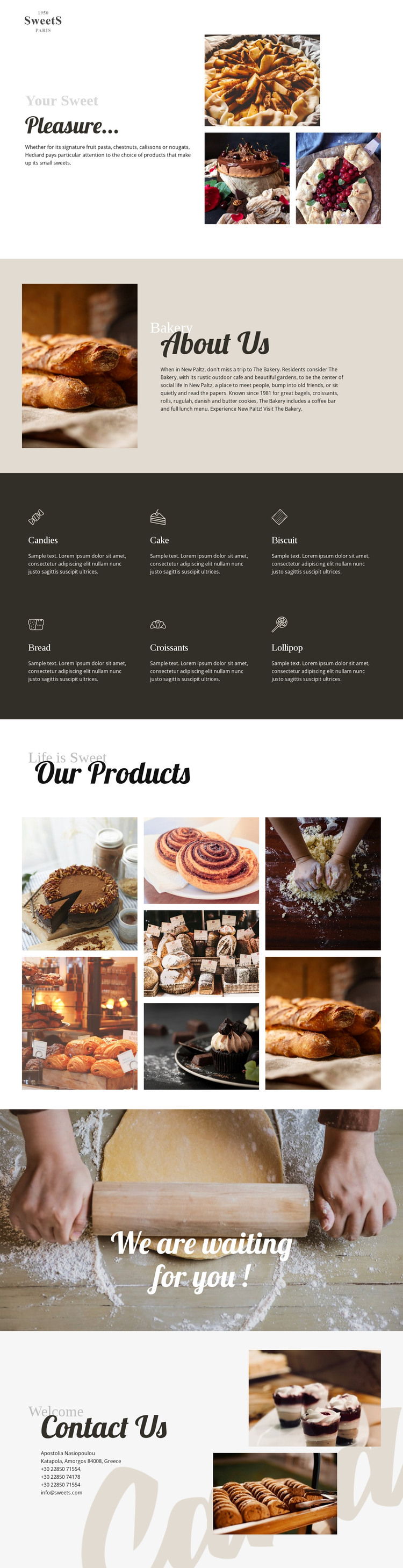
The six category cards provide clear permanent content areas for the bakery’s main offer. Candies, Cake, Biscuit, Bread, Croissants, and Lollipop are separated into repeated items with icons, labels, and short descriptions, making the product vocabulary easy to extend or revise as the project develops. Their dark-background arrangement also gives those content groups a consistent visual container rather than treating them as unrelated entries.
The About Us and Our Products sections serve different content roles around that structure. About Us places explanatory bakery content beside a large bread photograph, making it suitable for page-oriented background information. Our Products then uses seven food photographs in an editorial image grid, giving the design a strong visual area for product presentation. If a project later adds regularly updated bakery stories or announcements, those areas could sit alongside the established permanent content without changing the core page character; the analysis does not, however, verify an existing blog or post section.
The closing content supports the local nature of the design. A full-width “We are waiting for you !” callout creates a transition toward in-person interest, while Contact Us presents address, telephone, and email details beside dessert images. In a WordPress-managed project, these page areas can remain coordinated as theme content while the site grows around them. The benefit is the relationship between fixed bakery information, repeated product content, visual proof, and a practical contact destination—not a claim that WordPress-specific structures already exist in the template.
Customize with Nicepage
Open this ready-made template in the WordPress Website Builder and customize it visually in the Nicepage editor. Replace demo content, edit page sections, and adapt the design to your project without rebuilding the template from scratch.
Manage and Edit This Theme in WordPress
Customize and Install the WordPress Theme
Start with this ready-made theme instead of building the WordPress design from scratch. Customize its layout, content, typography, images, sections, and other design elements visually in Nicepage editor, then export and install the WordPress Theme, Plugin, and Pages on your WordPress site. The Nicepage WordPress Plugin lets you continue working with the site after installation.
Edit the Theme Directly in WordPress
After installation, you can edit the WordPress Theme directly in WordPress with the Nicepage WordPress Plugin. Use Site Style to customize site Colors, Fonts, Header, Footer, Blog, and Post Page Templates while working within your WordPress website.
Edit WordPress Pages Visually
Use the Nicepage WordPress Plugin to edit page content directly from the WordPress admin area. Open a WordPress Page with Nicepage and visually change its text, images, sections, and other page elements while continuing to manage the Page through WordPress.
WordPress Content and Theme Integration
Use the customized theme with WordPress Pages, Posts, Blog and Post Templates, menus, widgets, and other CMS-managed content. Shared theme elements such as Colors, Fonts, Header, Footer, Blog, and Post Page Templates can be managed as part of the overall site design, while WordPress provides the CMS environment for managing site content.
This workflow combines a ready-made WordPress Theme with visual customization, direct theme editing in WordPress, and continued content management through the Nicepage WordPress Plugin.