AI-Powered Digital Future WordPress Theme


Edit Template Offline
2. Create new page and search for id 6369760
Edit Template Online
Create Awesome Websites


Free Nicepage Builder
Keywords
Repeated Project Content Gives the Theme a Clear WordPress Structure
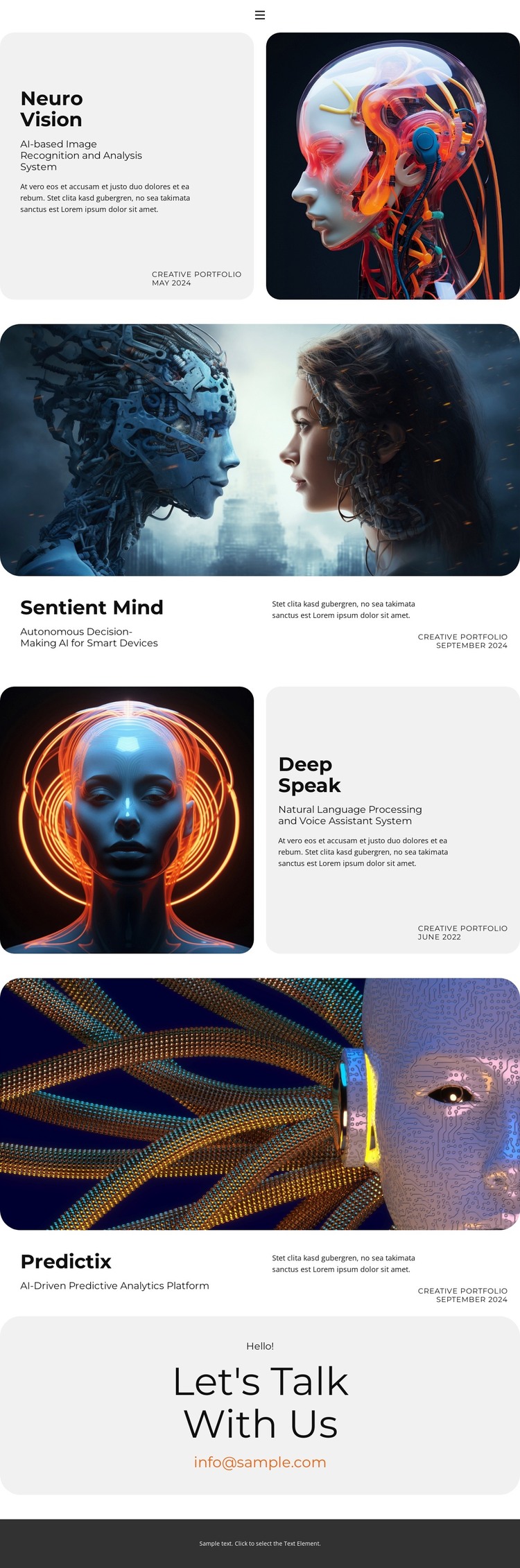
The four project areas provide distinct page-oriented content for a WordPress-managed portfolio. Neuro Vision, Sentient Mind, Deep Speak, and Predictix each identify a different AI capability, while their repeated combination of title, descriptive text, prominent image, and displayed date gives the design a consistent content pattern. This makes the portfolio easier to interpret as organized project material rather than as one long block of promotional copy.
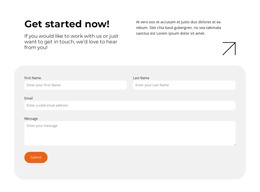
The visual relationships also support reusable site content. Neuro Vision and Deep Speak use split presentations with opposing image placement, while Sentient Mind and Predictix use wide imagery followed by compact project details. The layouts differ, but the information roles remain recognizable. The navigation area adds page-level orientation through Home, About, Contact, Portfolio, and additional links, and the closing contact panel provides a separate location for inquiry-oriented content.
In a WordPress project, these verified page areas could sit alongside other managed content while retaining the theme’s project-focused character. The analysis does not prove that Posts, categories, or blog templates are already present, so those structures are not claimed as existing elements. The safer interpretation is that the design supplies permanent portfolio content and a repeatable visual system that can accommodate future page or editorial expansion. Its WordPress value comes from this relationship between organized content areas, shared navigation, and a consistent theme presentation.
Customize with Nicepage
Open this ready-made template in the WordPress Website Builder and customize it visually in the Nicepage editor. Replace demo content, edit page sections, and adapt the design to your project without rebuilding the template from scratch.
Manage and Edit This Theme in WordPress
Customize and Install the WordPress Theme
Start with this ready-made theme instead of building the WordPress design from scratch. Customize its layout, content, typography, images, sections, and other design elements visually in Nicepage editor, then export and install the WordPress Theme, Plugin, and Pages on your WordPress site. The Nicepage WordPress Plugin lets you continue working with the site after installation.
Edit the Theme Directly in WordPress
After installation, you can edit the WordPress Theme directly in WordPress with the Nicepage WordPress Plugin. Use Site Style to customize site Colors, Fonts, Header, Footer, Blog, and Post Page Templates while working within your WordPress website.
Edit WordPress Pages Visually
Use the Nicepage WordPress Plugin to edit page content directly from the WordPress admin area. Open a WordPress Page with Nicepage and visually change its text, images, sections, and other page elements while continuing to manage the Page through WordPress.
WordPress Content and Theme Integration
Use the customized theme with WordPress Pages, Posts, Blog and Post Templates, menus, widgets, and other CMS-managed content. Shared theme elements such as Colors, Fonts, Header, Footer, Blog, and Post Page Templates can be managed as part of the overall site design, while WordPress provides the CMS environment for managing site content.
This workflow combines a ready-made WordPress Theme with visual customization, direct theme editing in WordPress, and continued content management through the Nicepage WordPress Plugin.