
Stone WordPress Themes
From an updated showroom schedule to a new limestone restoration case, stone firms need controlled, site-wide changes. A WordPress theme keeps branding consistent across sites, while editors update relevant pages with the Nicepage plugin.












More WordPress Themes from Nature Category
-

-

-
-
-
-
-
-
-
-
-
-
-
-
-
-
-
-
-
-
-
-
-
-
-
-
-
-
-
-
-
-
Free Website Builder SoftwareDownload
-
-
-
-
-
-


















































Other Nature WordPress Themes
Modern Stone WordPress Themes for Spas, Suppliers, and Cafes
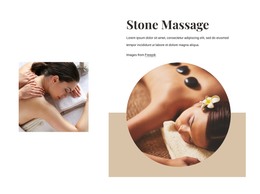
Choosing a WordPress theme means choosing the look your site will keep as its content changes. Nicepage's stone collection includes themes for hot stone massage and stone therapy practices, as well as a Crushed Stone design for a building materials business. Stone Mountain Pizza Cafe also takes its name from the mountain. These themes differ in mood and layout, yet each one runs on a WordPress installation you manage yourself.
What a Theme Controls
A theme handles the parts of a WordPress site that repeat everywhere, and those deserve the closest look when you compare options:
- The header and footer, which carry the studio name, address, and phone number on every screen.
- Theme Colors and fonts, which give service pages and blog posts the same visual voice.
- The blog and post templates, which matter if you plan to publish care tips, project news, or seasonal menus.
For a stone therapy studio that writes about treatments, the post template is the first thing to inspect. In Nicepage, Theme Colors are set once for the entire project, so a new article inherits the same palette as the homepage. Spa and cafe owners also often change small details, such as holiday hours. A theme that keeps those hours in the footer means one edit instead of changing them on every page.
Installation Steps Worth Knowing
Nicepage prepares WordPress themes in its desktop application and exports them as a package. In a typical workflow, you upload and activate the theme in the WordPress admin area, install the Nicepage Editor Plugin, and then import the content. The themes work with WordPress installed on your own hosting; WordPress.com isn't supported. After the import, check which page WordPress shows as the homepage, since it may open the blog list first.
Keeping Daily Updates Simple
The Nicepage Editor Plugin lets you revise Nicepage pages inside WordPress. It also gives access to Site Style, where you can adjust colors and fonts. The header, footer, and blog templates can be tuned there as well. A massage studio can refresh treatment descriptions and prices, and a crushed stone company can add new product notes and project photos without touching the design.
Features like online booking or a shop are a separate question. If your project needs them, confirm the required plugins work with the theme before you commit.
A stone WordPress theme works well when it looks right for your business, and the pages you'll change most often are easy to edit in WordPress.