
Cutiest home pets WordPress Theme


Edit Template Offline
2. Create new page and search for id 12869
Edit Template Online
Create Awesome Websites


Free Nicepage Builder
Keywords
Feature Content and Related Stories Fit a Page-Oriented Editorial Theme
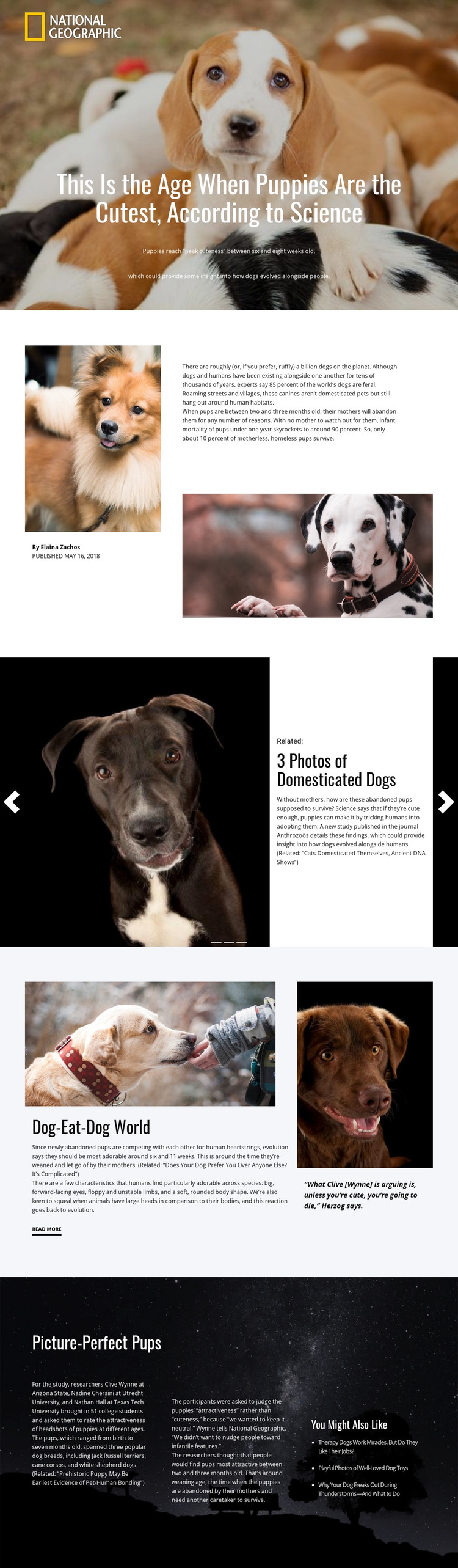
The page’s permanent editorial areas provide a useful basis for a WordPress-managed theme interpretation. The hero and split introduction together define a feature-page pattern: a large subject photograph and headline lead into author information, publication context, supporting images, and the main article text. These are page-oriented content roles, so they can remain visually connected while the article subject and accompanying media change over time.
The related-story slider introduces a separate recurring content relationship. Three repeated slides combine images, related labels, story titles, descriptions, indicators, and navigation controls. That pattern can support connected features or recommended reading within the same visual language, without claiming that WordPress Posts or a blog structure already exist in this particular template. The “Dog-Eat-Dog World” block adds another reusable editorial pattern by placing a primary discussion beside a quotation panel and a read-more link.
The final dark section is especially useful for content expansion because it separates methodology, researcher and institution references, findings, and related links into visible areas. In a WordPress project, those roles could surround page content that changes while the design’s image-led and research-focused identity remains consistent. The result is not simply a CMS label applied to an article; it is a mapping between verified page areas and a content environment suited to feature pages, supporting stories, and deeper editorial material.
Customize with Nicepage
Open this ready-made template in the WordPress Website Builder and customize it visually in the Nicepage editor. Replace demo content, edit page sections, and adapt the design to your project without rebuilding the template from scratch.
Manage and Edit This Theme in WordPress
Customize and Install the WordPress Theme
Start with this ready-made theme instead of building the WordPress design from scratch. Customize its layout, content, typography, images, sections, and other design elements visually in Nicepage editor, then export and install the WordPress Theme, Plugin, and Pages on your WordPress site. The Nicepage WordPress Plugin lets you continue working with the site after installation.
Edit the Theme Directly in WordPress
After installation, you can edit the WordPress Theme directly in WordPress with the Nicepage WordPress Plugin. Use Site Style to customize site Colors, Fonts, Header, Footer, Blog, and Post Page Templates while working within your WordPress website.
Edit WordPress Pages Visually
Use the Nicepage WordPress Plugin to edit page content directly from the WordPress admin area. Open a WordPress Page with Nicepage and visually change its text, images, sections, and other page elements while continuing to manage the Page through WordPress.
WordPress Content and Theme Integration
Use the customized theme with WordPress Pages, Posts, Blog and Post Templates, menus, widgets, and other CMS-managed content. Shared theme elements such as Colors, Fonts, Header, Footer, Blog, and Post Page Templates can be managed as part of the overall site design, while WordPress provides the CMS environment for managing site content.
This workflow combines a ready-made WordPress Theme with visual customization, direct theme editing in WordPress, and continued content management through the Nicepage WordPress Plugin.





















