The desert landscape WordPress Theme


A Stable Nature Gallery for WordPress Page Content
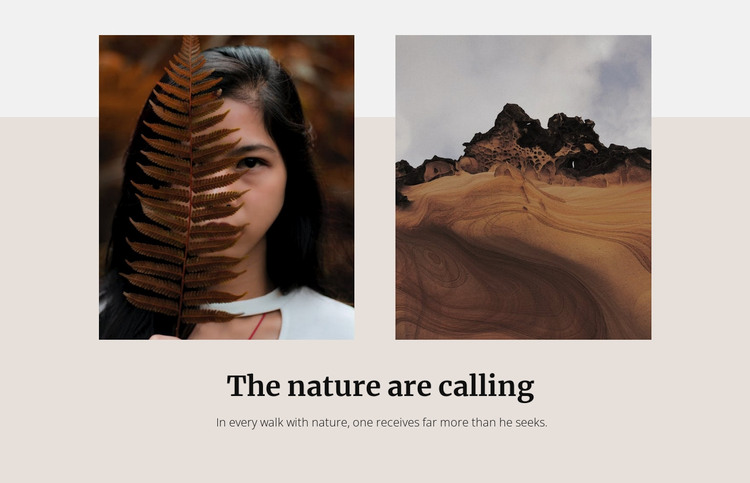
The two-image arrangement reads as stable, publishable page content rather than a stream of time-sensitive entries. One photograph shows a person partly obscured by a fern, and the other presents a desert rock landscape. Their vertical rectangular crops and side-by-side placement create a defined visual unit that can remain part of a nature, travel, lifestyle, or editorial page without requiring a larger collection of images.
The text gives this content area a clear identity. “The nature are calling” works as the section heading, while the quotation about receiving more from every walk with nature provides an interpretive layer beneath or around the gallery. The large dark serif type establishes hierarchy, and the smaller muted text keeps the quotation subordinate to the main visual message. Warm beige and light gray background areas frame the photographs, while generous spacing separates the two subjects.
In a WordPress-oriented project, this block can function as a reusable gallery section within permanent page content. The surrounding site can provide other pages and editorial areas, while this section retains its own image-led purpose. Confirmed lightbox viewing also gives visitors a focused way to inspect either photograph without changing the block’s compact role.
Customize with Nicepage
Open this ready-made template in the WordPress Website Builder and customize it visually in the Nicepage editor. Replace demo content, edit page sections, and adapt the design to your project without rebuilding the template from scratch.
Edit Template Offline
2. Create a new page or select existing
3. Click Add new block, search for id 166929 and click enter
Edit Template Online
Create Awesome Websites


Free Nicepage Builder
Keywords
Manage and Edit This Theme in WordPress
Customize and Install the WordPress Theme
Start with this ready-made theme instead of building the WordPress design from scratch. Customize its layout, content, typography, images, sections, and other design elements visually in Nicepage editor, then export and install the WordPress Theme, Plugin, and Pages on your WordPress site. The Nicepage WordPress Plugin lets you continue working with the site after installation.
Edit the Theme Directly in WordPress
After installation, you can edit the WordPress Theme directly in WordPress with the Nicepage WordPress Plugin. Use Site Style to customize site Colors, Fonts, Header, Footer, Blog, and Post Page Templates while working within your WordPress website.
Edit WordPress Pages Visually
Use the Nicepage WordPress Plugin to edit page content directly from the WordPress admin area. Open a WordPress Page with Nicepage and visually change its text, images, sections, and other page elements while continuing to manage the Page through WordPress.
WordPress Content and Theme Integration
Use the customized theme with WordPress Pages, Posts, Blog and Post Templates, menus, widgets, and other CMS-managed content. Shared theme elements such as Colors, Fonts, Header, Footer, Blog, and Post Page Templates can be managed as part of the overall site design, while WordPress provides the CMS environment for managing site content.
This workflow combines a ready-made WordPress Theme with visual customization, direct theme editing in WordPress, and continued content management through the Nicepage WordPress Plugin.