Stone Mountain Pizza Cafe WordPress Theme


Centered Restaurant Content for a WordPress Page Region
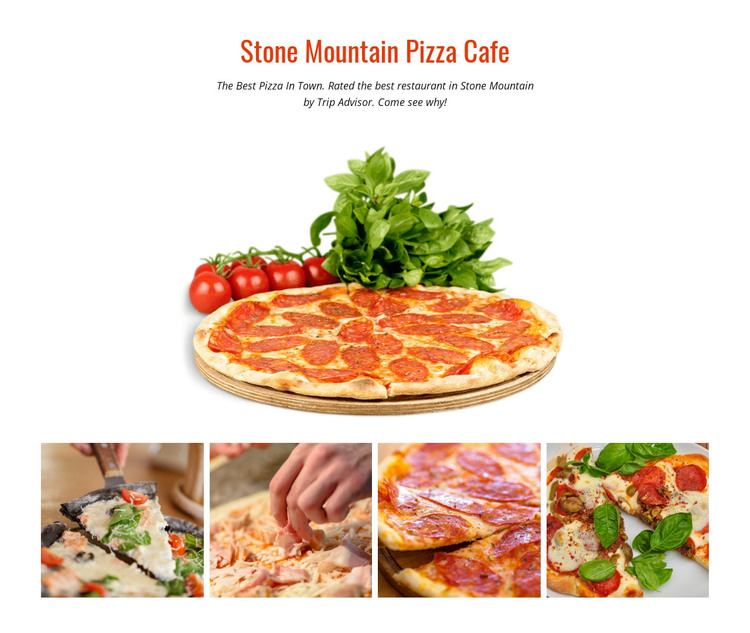
The heading and paragraph give this block the character of stable page content within a WordPress-managed site. “Stone Mountain Pizza Cafe” names the restaurant subject, and the supporting text refers to Stone Mountain and Trip Advisor. These words can be treated as the section’s introductory content structure rather than as a complete set of restaurant claims. They prepare the visitor for the visual material that follows and keep the page region focused on pizza.
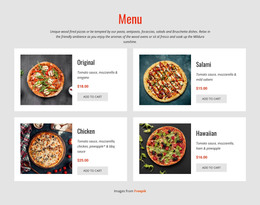
The large pizza image is the dominant content object in the upper part of the section. Positioned below the centered text, it creates a direct connection between the restaurant introduction and the food itself. Four additional food photographs appear underneath in a single horizontal row. Their consistent rectangular sizing and tight spacing make the gallery feel coordinated, giving the page a compact visual showcase instead of a long list of separate media items.
For WordPress-oriented page content, this block can remain a stable restaurant or food-gallery section while the wider project manages other publishable content around it. A menu, location details, news, or contact area could occupy separate regions when needed. The block itself keeps one focused role: introduce the cafe, feature a pizza image, and support it with four related food photographs in a centered static composition.
Customize with Nicepage
Open this ready-made template in the WordPress Website Builder and customize it visually in the Nicepage editor. Replace demo content, edit page sections, and adapt the design to your project without rebuilding the template from scratch.
Edit Template Offline
2. Create a new page or select existing
3. Click Add new block, search for id 56101 and click enter
Edit Template Online
Create Awesome Websites


Free Nicepage Builder
Keywords
Manage and Edit This Theme in WordPress
Customize and Install the WordPress Theme
Start with this ready-made theme instead of building the WordPress design from scratch. Customize its layout, content, typography, images, sections, and other design elements visually in Nicepage editor, then export and install the WordPress Theme, Plugin, and Pages on your WordPress site. The Nicepage WordPress Plugin lets you continue working with the site after installation.
Edit the Theme Directly in WordPress
After installation, you can edit the WordPress Theme directly in WordPress with the Nicepage WordPress Plugin. Use Site Style to customize site Colors, Fonts, Header, Footer, Blog, and Post Page Templates while working within your WordPress website.
Edit WordPress Pages Visually
Use the Nicepage WordPress Plugin to edit page content directly from the WordPress admin area. Open a WordPress Page with Nicepage and visually change its text, images, sections, and other page elements while continuing to manage the Page through WordPress.
WordPress Content and Theme Integration
Use the customized theme with WordPress Pages, Posts, Blog and Post Templates, menus, widgets, and other CMS-managed content. Shared theme elements such as Colors, Fonts, Header, Footer, Blog, and Post Page Templates can be managed as part of the overall site design, while WordPress provides the CMS environment for managing site content.
This workflow combines a ready-made WordPress Theme with visual customization, direct theme editing in WordPress, and continued content management through the Nicepage WordPress Plugin.