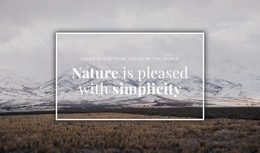
Save nature around you WordPress Theme


A short nature message becomes stable WordPress page content
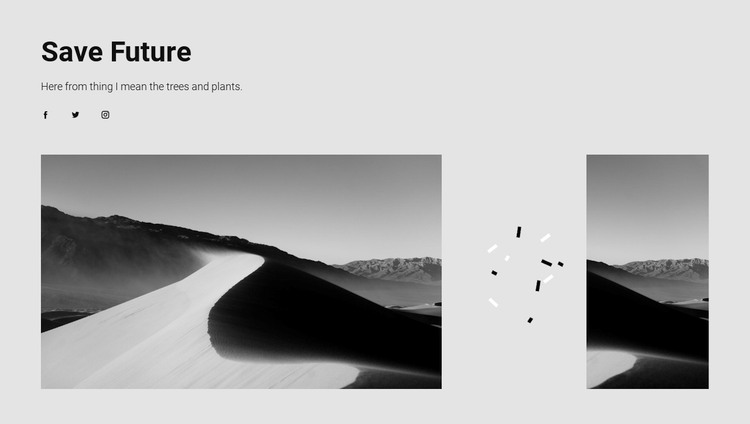
The “Save Future” heading presents the block’s central theme immediately, and the supporting sentence about trees and plants gives the section a concise explanatory message. The three social links—Facebook, Twitter, and Instagram—create a separate connection point beneath the text. Below them, three monochrome nature images form the main visual statement. Their arrangement is intentionally uneven: the wider image on the left carries the strongest weight, while the narrower image on the right leaves room for central decorative marks and open space. Because the interaction is static, the content is presented as one visible composition rather than a sequence of changing states.
For a WordPress-managed page, this makes the block suitable as stable thematic content for an environmental, nature, or outdoor section. The heading and paragraph can communicate the subject, the social links can lead to related networks, and the image arrangement can provide visual context without depending on a post feed, gallery control, or other unconfirmed component. Black text on a light gray background supports a restrained visual hierarchy, while the generous whitespace keeps the short message separate from the photographic area.
The section can sit within broader WordPress page content while remaining visually self-contained. Other page areas may carry navigation, detailed articles, or additional topics; this block contributes one recognizable nature-focused unit with a clear message, social destinations, and a distinctive wide-to-narrow image relationship.
Customize with Nicepage
Open this ready-made template in the WordPress Website Builder and customize it visually in the Nicepage editor. Replace demo content, edit page sections, and adapt the design to your project without rebuilding the template from scratch.
Edit Template Offline
2. Create a new page or select existing
3. Click Add new block, search for id 110657 and click enter
Edit Template Online
Create Awesome Websites


Free Nicepage Builder
Keywords
Manage and Edit This Theme in WordPress
Customize and Install the WordPress Theme
Start with this ready-made theme instead of building the WordPress design from scratch. Customize its layout, content, typography, images, sections, and other design elements visually in Nicepage editor, then export and install the WordPress Theme, Plugin, and Pages on your WordPress site. The Nicepage WordPress Plugin lets you continue working with the site after installation.
Edit the Theme Directly in WordPress
After installation, you can edit the WordPress Theme directly in WordPress with the Nicepage WordPress Plugin. Use Site Style to customize site Colors, Fonts, Header, Footer, Blog, and Post Page Templates while working within your WordPress website.
Edit WordPress Pages Visually
Use the Nicepage WordPress Plugin to edit page content directly from the WordPress admin area. Open a WordPress Page with Nicepage and visually change its text, images, sections, and other page elements while continuing to manage the Page through WordPress.
WordPress Content and Theme Integration
Use the customized theme with WordPress Pages, Posts, Blog and Post Templates, menus, widgets, and other CMS-managed content. Shared theme elements such as Colors, Fonts, Header, Footer, Blog, and Post Page Templates can be managed as part of the overall site design, while WordPress provides the CMS environment for managing site content.
This workflow combines a ready-made WordPress Theme with visual customization, direct theme editing in WordPress, and continued content management through the Nicepage WordPress Plugin.