Flowers are the music of the ground WordPress Theme


“The Beauty of Nature” Creates a Distinct WordPress Page Section
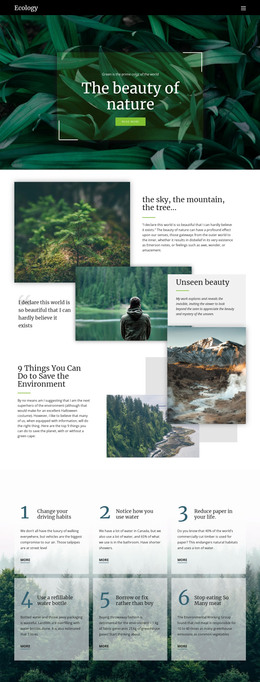
The phrase “green garden” supplies a short entry point for the section, while “the beauty of nature” states its central message in a larger text hierarchy. The final word is separated visually through its coral-red color, making the theme immediately identifiable without requiring a button, form, or other interactive element. The block therefore works primarily through wording, contrast, and image placement.
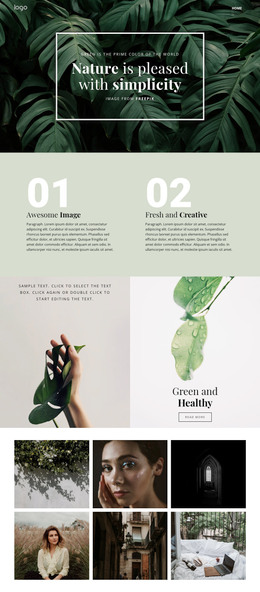
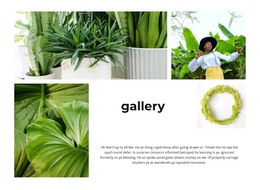
A large botanical flower image fills the background from edge to edge. Against the soft pale green and white tones, the black uppercase text remains visually firm, while the lower-left position keeps the message grouped in one recognizable area. Generous surrounding space prevents the three-line overlay from competing with every part of the image, so the section can introduce the visual direction before more detailed page content appears.
In a WordPress-oriented project, this block can serve as stable introductory page content for a garden, floral, or nature-themed area. WordPress can manage the broader page and site content around it, while the section preserves its own fixed message and image-led composition. The WordPress context does not change the block into a standalone theme; it simply gives this reusable hero a place within a CMS-managed page. Nicepage’s WordPress workflow can support the surrounding project when the section needs to participate in a larger content structure.
Customize with Nicepage
Open this ready-made template in the WordPress Website Builder and customize it visually in the Nicepage editor. Replace demo content, edit page sections, and adapt the design to your project without rebuilding the template from scratch.
Edit Template Offline
2. Create a new page or select existing
3. Click Add new block, search for id 55333 and click enter
Edit Template Online
Create Awesome Websites


Free Nicepage Builder
Keywords
Manage and Edit This Theme in WordPress
Customize and Install the WordPress Theme
Start with this ready-made theme instead of building the WordPress design from scratch. Customize its layout, content, typography, images, sections, and other design elements visually in Nicepage editor, then export and install the WordPress Theme, Plugin, and Pages on your WordPress site. The Nicepage WordPress Plugin lets you continue working with the site after installation.
Edit the Theme Directly in WordPress
After installation, you can edit the WordPress Theme directly in WordPress with the Nicepage WordPress Plugin. Use Site Style to customize site Colors, Fonts, Header, Footer, Blog, and Post Page Templates while working within your WordPress website.
Edit WordPress Pages Visually
Use the Nicepage WordPress Plugin to edit page content directly from the WordPress admin area. Open a WordPress Page with Nicepage and visually change its text, images, sections, and other page elements while continuing to manage the Page through WordPress.
WordPress Content and Theme Integration
Use the customized theme with WordPress Pages, Posts, Blog and Post Templates, menus, widgets, and other CMS-managed content. Shared theme elements such as Colors, Fonts, Header, Footer, Blog, and Post Page Templates can be managed as part of the overall site design, while WordPress provides the CMS environment for managing site content.
This workflow combines a ready-made WordPress Theme with visual customization, direct theme editing in WordPress, and continued content management through the Nicepage WordPress Plugin.