
Plant Shop WordPress Theme


Edit Template Offline
2. Create new page and search for id 23200
Edit Template Online
Create Awesome Websites


Free Nicepage Builder
Keywords
Shop, Workshop, and Care Content Fit a WordPress-Oriented Structure
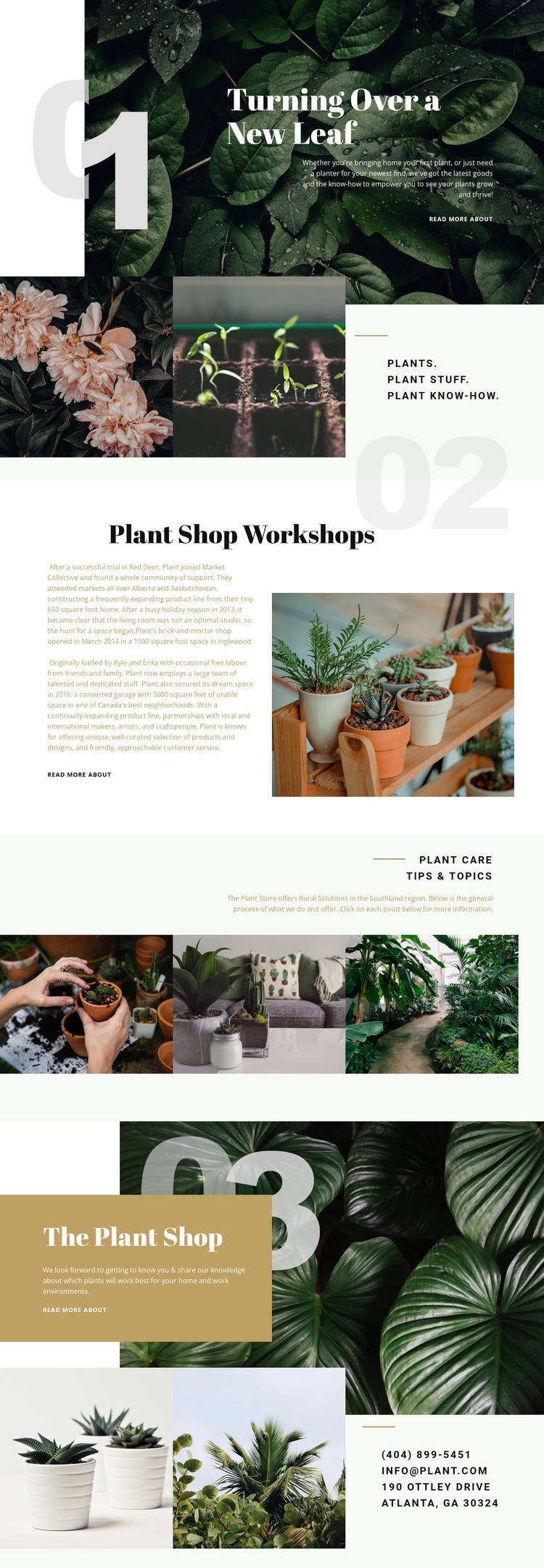
The page’s content areas can be interpreted as permanent plant-business information in a WordPress-managed site. The hero and Plant Shop sections provide page-oriented introductions to the retail offer, while the three-image statement groups the broader subjects of plants, plant stuff, and plant know-how. These areas could remain stable content as the project develops, with the visual direction continuing around them.
The workshop and care sections create different opportunities for content growth. Workshop content could be expanded with details about the offering, while plant care tips and topics could support regularly updated informational material if the project later adds it. The analysis confirms those subjects as sections of this design, but it does not confirm existing WordPress Posts, categories, or a blog. The repeated read-more links provide structural evidence of deeper destinations without proving what those destinations contain.
Botanical imagery, deep green and cream surfaces, serif headings, and asymmetrical collages can keep permanent pages and future content visually related. A WordPress project could therefore use this design as a theme direction for both page content and additional publishable material, without treating demo names, addresses, or narrative details as verified business facts. Nicepage documents the WordPress Plugin as a product bridge for editing page content in WordPress, but the template-specific value comes from its clear content areas and visual system.
Customize with Nicepage
Open this ready-made template in the WordPress Website Builder and customize it visually in the Nicepage editor. Replace demo content, edit page sections, and adapt the design to your project without rebuilding the template from scratch.
Manage and Edit This Theme in WordPress
Customize and Install the WordPress Theme
Start with this ready-made theme instead of building the WordPress design from scratch. Customize its layout, content, typography, images, sections, and other design elements visually in Nicepage editor, then export and install the WordPress Theme, Plugin, and Pages on your WordPress site. The Nicepage WordPress Plugin lets you continue working with the site after installation.
Edit the Theme Directly in WordPress
After installation, you can edit the WordPress Theme directly in WordPress with the Nicepage WordPress Plugin. Use Site Style to customize site Colors, Fonts, Header, Footer, Blog, and Post Page Templates while working within your WordPress website.
Edit WordPress Pages Visually
Use the Nicepage WordPress Plugin to edit page content directly from the WordPress admin area. Open a WordPress Page with Nicepage and visually change its text, images, sections, and other page elements while continuing to manage the Page through WordPress.
WordPress Content and Theme Integration
Use the customized theme with WordPress Pages, Posts, Blog and Post Templates, menus, widgets, and other CMS-managed content. Shared theme elements such as Colors, Fonts, Header, Footer, Blog, and Post Page Templates can be managed as part of the overall site design, while WordPress provides the CMS environment for managing site content.
This workflow combines a ready-made WordPress Theme with visual customization, direct theme editing in WordPress, and continued content management through the Nicepage WordPress Plugin.





















