Urban nature oasis WordPress Theme


Stable Interior-Advice Content for a WordPress-Managed Page
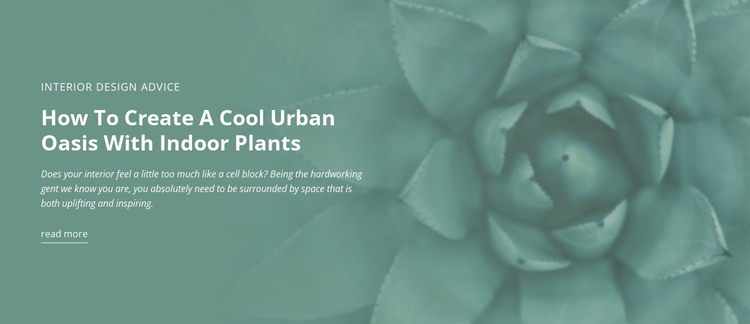
The label, heading, and supporting paragraph form stable informational content that can sit naturally within a WordPress-managed page. “Interior Design Advice” identifies the subject area, while the longer heading focuses the reader on creating a cool urban oasis with indoor plants. The supporting copy extends that idea by presenting indoor greenery as a way to make an interior more uplifting and inspiring. A single read-more link can connect this concise introduction with a longer destination elsewhere in the project.
The visual treatment keeps that content recognizable as one page section. The text is left-aligned over a full-width image of indoor plant foliage, and white typography creates a readable hierarchy against the muted teal-green image treatment. Generous empty space prevents the label, heading, paragraph, and link from becoming a dense text panel. This makes the block suitable for permanent editorial or featured-content placement rather than requiring a repeated card system or time-sensitive listing structure.
Within a broader WordPress project, the section can remain a consistent visual area while other pages or publishing features handle longer articles, related advice, or additional interior topics. The block supplies its own message and presentation, but the surrounding site determines the wider content organization. Its practical role is a reusable page-content pattern combining an editorial introduction, atmospheric imagery, and one controlled continuation path.
Customize with Nicepage
Open this ready-made template in the WordPress Website Builder and customize it visually in the Nicepage editor. Replace demo content, edit page sections, and adapt the design to your project without rebuilding the template from scratch.
Edit Template Offline
2. Create a new page or select existing
3. Click Add new block, search for id 41521 and click enter
Edit Template Online
Create Awesome Websites


Free Nicepage Builder
Keywords
Manage and Edit This Theme in WordPress
Customize and Install the WordPress Theme
Start with this ready-made theme instead of building the WordPress design from scratch. Customize its layout, content, typography, images, sections, and other design elements visually in Nicepage editor, then export and install the WordPress Theme, Plugin, and Pages on your WordPress site. The Nicepage WordPress Plugin lets you continue working with the site after installation.
Edit the Theme Directly in WordPress
After installation, you can edit the WordPress Theme directly in WordPress with the Nicepage WordPress Plugin. Use Site Style to customize site Colors, Fonts, Header, Footer, Blog, and Post Page Templates while working within your WordPress website.
Edit WordPress Pages Visually
Use the Nicepage WordPress Plugin to edit page content directly from the WordPress admin area. Open a WordPress Page with Nicepage and visually change its text, images, sections, and other page elements while continuing to manage the Page through WordPress.
WordPress Content and Theme Integration
Use the customized theme with WordPress Pages, Posts, Blog and Post Templates, menus, widgets, and other CMS-managed content. Shared theme elements such as Colors, Fonts, Header, Footer, Blog, and Post Page Templates can be managed as part of the overall site design, while WordPress provides the CMS environment for managing site content.
This workflow combines a ready-made WordPress Theme with visual customization, direct theme editing in WordPress, and continued content management through the Nicepage WordPress Plugin.