Ocean waves WordPress Theme


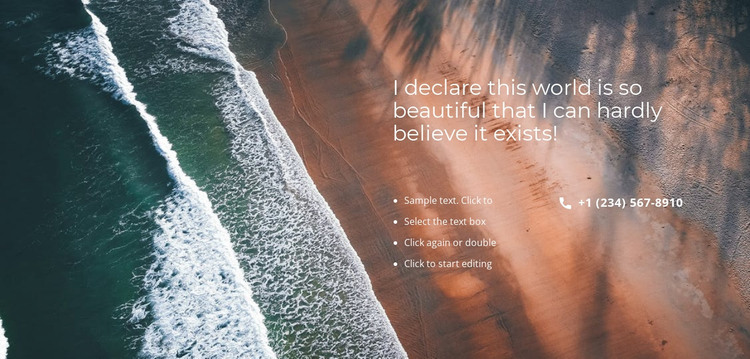
Stable Inspirational Content With a Separate Contact Channel
The block’s page-oriented content is easy to distinguish: the large heading introduces an inspirational message, the four bulleted items add supporting information, and the phone link provides a direct contact channel. The full-width beach image gives that content a strong presentation context, while the right-side placement keeps all related text within one coherent region. Because the heading and list form a stable message rather than a stream of time-sensitive entries, the section can fit naturally into permanent page content in a WordPress-managed project.
The wider WordPress site can manage other pages and content around this section, but the block itself remains the same scenic layout. Its sample text and displayed phone number can be replaced through the project’s content workflow without changing the relationship between image, heading, list, and contact detail. The four-item list is especially useful as a compact explanation layer before the visitor reaches the phone option. At the visual level, white typography and generous spacing preserve the section’s identity when content is edited. This interpretation emphasizes publishable page content and reuse within a CMS-managed environment, not a standalone theme or an assumption that blog posts, categories, widgets, or other CMS structures are present in the block.
Customize with Nicepage
Open this ready-made template in the WordPress Website Builder and customize it visually in the Nicepage editor. Replace demo content, edit page sections, and adapt the design to your project without rebuilding the template from scratch.
Edit Template Offline
2. Create a new page or select existing
3. Click Add new block, search for id 105385 and click enter
Edit Template Online
Create Awesome Websites


Free Nicepage Builder
Keywords
Manage and Edit This Theme in WordPress
Customize and Install the WordPress Theme
Start with this ready-made theme instead of building the WordPress design from scratch. Customize its layout, content, typography, images, sections, and other design elements visually in Nicepage editor, then export and install the WordPress Theme, Plugin, and Pages on your WordPress site. The Nicepage WordPress Plugin lets you continue working with the site after installation.
Edit the Theme Directly in WordPress
After installation, you can edit the WordPress Theme directly in WordPress with the Nicepage WordPress Plugin. Use Site Style to customize site Colors, Fonts, Header, Footer, Blog, and Post Page Templates while working within your WordPress website.
Edit WordPress Pages Visually
Use the Nicepage WordPress Plugin to edit page content directly from the WordPress admin area. Open a WordPress Page with Nicepage and visually change its text, images, sections, and other page elements while continuing to manage the Page through WordPress.
WordPress Content and Theme Integration
Use the customized theme with WordPress Pages, Posts, Blog and Post Templates, menus, widgets, and other CMS-managed content. Shared theme elements such as Colors, Fonts, Header, Footer, Blog, and Post Page Templates can be managed as part of the overall site design, while WordPress provides the CMS environment for managing site content.
This workflow combines a ready-made WordPress Theme with visual customization, direct theme editing in WordPress, and continued content management through the Nicepage WordPress Plugin.