Hot stone massage WordPress Theme


A Stable Spa Services Area for WordPress Page Content
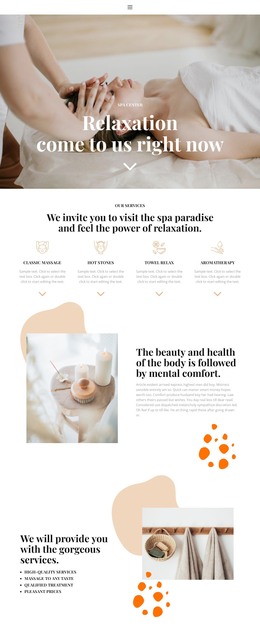
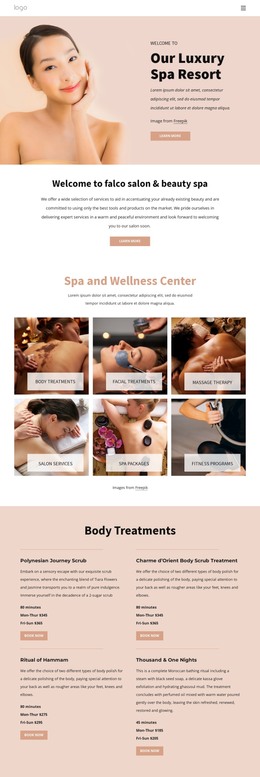
The SPA Center heading and amenity description give this block the character of permanent page content rather than a time-sensitive announcement. Visitors can learn about the facility range through references to the fitness center, indoor swimming pool, kiddy pool, jacuzzi, steam room, sauna, shock showers, snow fountain, Turkish bath, massage rooms, and coiffeurs. The read-more button can connect this summary with a deeper services explanation, while the surrounding WordPress-managed page can provide treatment details, booking information, or contact content elsewhere.
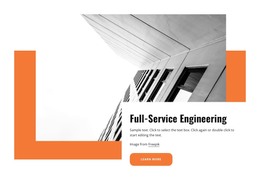
The content remains visually focused through a strong image-to-panel relationship. A close-up treatment photograph occupies the upper-right area, and the white text panel overlaps its lower-left edge instead of sitting beside it as a conventional equal column. An orange rectangular accent behind the panel adds separation and gives the services message a recognizable visual marker. The condensed heading and italic supporting copy distinguish the subject from the longer amenity information without adding interactive complexity.
In a WordPress-oriented project, this block can function as a reusable section on a stable services or wellness page. The broader site may manage other publishable content around it, but this component retains one clear job: introduce the SPA Center and direct visitors toward more information. Its page-content role is therefore defined by the amenity summary and visual presentation, not by claiming that the block itself is a complete theme.
Customize with Nicepage
Open this ready-made template in the WordPress Website Builder and customize it visually in the Nicepage editor. Replace demo content, edit page sections, and adapt the design to your project without rebuilding the template from scratch.
Edit Template Offline
2. Create a new page or select existing
3. Click Add new block, search for id 63380 and click enter
Edit Template Online
Create Awesome Websites


Free Nicepage Builder
Keywords
Manage and Edit This Theme in WordPress
Customize and Install the WordPress Theme
Start with this ready-made theme instead of building the WordPress design from scratch. Customize its layout, content, typography, images, sections, and other design elements visually in Nicepage editor, then export and install the WordPress Theme, Plugin, and Pages on your WordPress site. The Nicepage WordPress Plugin lets you continue working with the site after installation.
Edit the Theme Directly in WordPress
After installation, you can edit the WordPress Theme directly in WordPress with the Nicepage WordPress Plugin. Use Site Style to customize site Colors, Fonts, Header, Footer, Blog, and Post Page Templates while working within your WordPress website.
Edit WordPress Pages Visually
Use the Nicepage WordPress Plugin to edit page content directly from the WordPress admin area. Open a WordPress Page with Nicepage and visually change its text, images, sections, and other page elements while continuing to manage the Page through WordPress.
WordPress Content and Theme Integration
Use the customized theme with WordPress Pages, Posts, Blog and Post Templates, menus, widgets, and other CMS-managed content. Shared theme elements such as Colors, Fonts, Header, Footer, Blog, and Post Page Templates can be managed as part of the overall site design, while WordPress provides the CMS environment for managing site content.
This workflow combines a ready-made WordPress Theme with visual customization, direct theme editing in WordPress, and continued content management through the Nicepage WordPress Plugin.