
Password HTML Templates





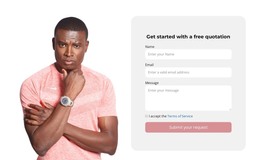
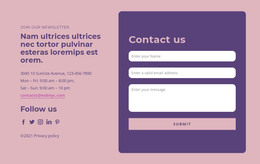
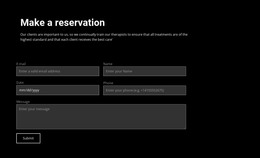
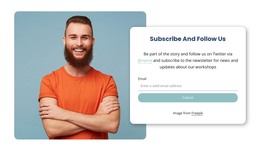







Other Contact Form HTML Templates
Build Secure Access Experiences With Simple Password HTML Templates
A password page usually has just one narrow job to do. Maybe a person is setting up an account for the first time. Maybe they're logging back in, digging out a password they've lost track of, or nudging a security setting one way or the other. What people are really chasing here is something fast and clear, with the difficulties kept to a minimum. Password HTML templates hand businesses a way to build those access pages cleanly, focusing on structured layouts that put usability first.
The spread of uses here runs really wide. A SaaS company might bring in these markup-based templates to cover registration pages, login screens, and account recovery flows, all kept together in one place. An online learning platform could easily use them to run account creation, profile management, and user verification through its own sections.
Did you know that 79% of users include numbers and change words when creating their passwords, leading to pseudo-complexity that is easily predictable?
Reasons to Use Markup-Based Structures for Authentication Workflows
There's a good deal more crammed into an access page than it lets on. Login forms, registration screens, and recovery tools sit shoulder to shoulder with verification steps, security notices, and account settings, all wedged into a stretch of the site hardly anyone bothers to look at closely. A solid HTML structure is what keeps the whole thing lined up instead of letting pieces drift loose.
It’s time to take a look at the advantages of these templates. Below is the list:
- Layouts that render well on all devices.
- Universal sections for authentication workflows.
- Highly structured markup for improved organization.
- Adaptable pages for account management.
- Editable HTML blocks for customization.
- Reliable foundations for future development.
Reducing Friction During Important Interactions
An authentication page is never the corner of a platform anyone puts on display, and yet it's usually the first thing a new user actually lays hands on. A sign-up or login that feels plain and effortless can earn a fair bit of trust before someone's gotten anywhere at all. And developers get to use reliable foundations here. The format simplifies authentication workflows in many ways.
The reward for the user is decidedly pragmatic. The individual setting up a new account simply wishes for the procedure to proceed without a hitch. The individual unable to remember his or her password wishes for recovery mechanisms to be located where they would instinctively expect to find them. The structured layout ensures that both remain true.
Create Access Experiences That Feel Reliable
Nicepage provides password HTML templates tailored for SaaS businesses, education solutions, and enterprises. Browse through the layouts below and create an account experience that is straightforward, fast, and convenient.