
404 HTML Templates
Adapt a ready-made 404 page in Nicepage, replace the sample content, and export the HTML with its supporting assets for your website.
-

-

-
-
-
-
-
-
-
-
-
Free Website Builder SoftwareDownload
-
-
-
-
-
-
-
-
-
-
-
-
-
-
-
-
-
-
-
-
-
-
-
-
-
-
-
-




























More HTML Templates from Contact Form Category





Other Contact Form HTML Templates
404 HTML Templates for Custom Error Pages
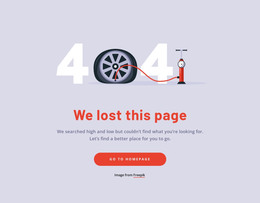
404 HTML Templates offer ready-made layouts for replacing a generic missing-page screen with a design that fits your website. Choose a layout, edit the message and destination links, and prepare the files for your hosting setup. The template provides the visible page; the server handles the error response.
Clean HTML Structure for 404 Error Pages
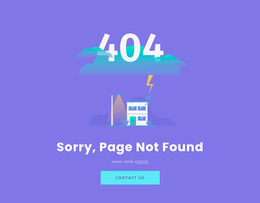
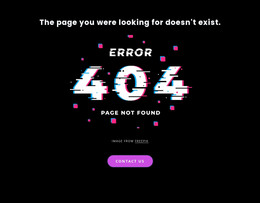
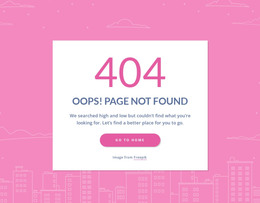
Start by comparing how a template presents the missing-page message. A minimal design puts the explanation and homepage link first, while an illustrated layout gives the page more personality. A design with additional navigation may suit a larger site, as long as those links lead somewhere useful. Choose according to your site's content and the options actually available in the collection.
Beyond appearance, look for clear HTML structure, editable links, and manageable assets. A single main heading, a short explanation, and standard HTML links give visitors a clear path forward. The page's navigation and resource files should also match your existing website's structure, rather than behaving like an isolated screen.
When comparing and adapting layouts, check three practical details:
- Message and structure: Can you replace the sample heading and explanation without disrupting the layout?
- Navigation: Can you point the main link to your homepage or a relevant section, and remove links you do not need?
- Supporting files: Are the images, stylesheets, and scripts available and easy to keep together when exporting?
Resource paths deserve a final look. An image linked as images/error.svg may be resolved relative to a missing URL with several path segments. Check the exported references and use root-relative URLs where they suit your hosting setup.
A search field can be helpful on a large store or documentation site if it connects to a working search function. For a small site, a direct homepage link may be more useful.
Ready-To-Use HTML for Website Integration
Once you have selected a layout, replace the placeholder content and align its links, HTML structure, and shared resources with the rest of the site. You can use HTML Export to generate the page along with the CSS, JavaScript, and image files it needs.
The publishing process has three main steps:
- Customize the selected template and verify its links and resource paths.
- Export the HTML and related files, preserving the required folder structure.
- Set up your hosting platform to display the page for missing URLs, then test a nonexistent address to confirm the navigation works and the server returns HTTP 404, not 200.
Test both a short missing URL and one with several path segments. This helps reveal broken resource paths that may not be noticeable when previewing the page on its own.