
Halloween Website Templates
Haunted attractions, costume events, and October venues often need separate space for dates, tickets, directions, activities, and visitor details. A complete website template connects those destinations through a coordinated set of pages and shared navigation.


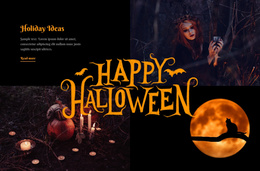


More Website Templates from Music & Entertainment Category








Other Music & Entertainment Website Templates
Readily Available Halloween Website Templates for Complete Seasonal Sites
A Halloween project rarely fits on one long promotional page. Tickets, attraction details, and opening dates each deserve their own destination, and a website template provides that connected set of pages at once, already dressed in seasonal color and type. A haunted house, a pumpkin festival, and a costume store can all begin from a complete site.
Which Pages Your Seasonal Site Needs
The number of pages follows the shape of the business. A single haunted attraction rarely needs more than four destinations: home, attractions, tickets, and practical details. A festival spreads wider, giving the program, vendors, and directions their own destination, while a Halloween store organizes around categories, seasonal collections, and delivery terms.
Before comparing designs, check whether the page inventory matches the project:
- Attraction or program pages for whatever visitors come to see;
- Ticket and booking pages where the decision happens;
- Practical pages for rules, parking, and accessibility;
- Contact and about pages for everything left over.
Demo content is worth reading past the home screen, since a design can look convincing at the top and thin out badly on the inner pages, which is exactly where a vendor list has to live. Phone layouts are standard now, so they rarely drive the choice.
Routes Visitors Follow Between Destinations
Someone lands on home, opens the attraction, checks the schedule, then moves to tickets, and each step should take a single click. Navigation carries that path, and its shape depends on the business: one attraction needs a short menu, a festival with several venues needs its program grouped.
Navigation tends to settle into three levels:
- Main menu items for attractions, tickets, and dates;
- Utility links for FAQ, accessibility, and policies;
- Footer routes to contacts, private bookings, and social profiles.
Nicepage Website Menu connects those destinations through a shared Header or Footer, and the Site Basics documentation describes how a project holds its individual pages together.
Shared Elements Hold the Project Together
Different pages do different jobs, yet they should feel like parts of one site. Theme Settings keep colors, fonts, and Header styling consistent, so a practical ticket page and an atmospheric attraction page still feel like they belong to the same season. Site-wide elements also make updates painless: change a new closing date in the footer once, and it appears everywhere.
The real question is whether every visitor task has a clear destination. A template fits when the page count matches the program, each page's role is clear, and the menu stays readable when the design goes dark.