

Badge CSS Templates
Retail teams must place discount tags next to product prices, while event organizers must distinguish VIP and sold-out tickets. Badge CSS templates use color contrast and rounded shapes to keep these labels readable across screen sizes.






More CSS Templates from Brands Category




Other Brands CSS Templates
Adaptable Badge CSS Templates
Badge CSS templates give you finished designs to adjust until every badge fits your site. Trouble starts when several badges share a section, and a hot orange coupon sits beside calm client logos, looking like it was borrowed from another site. The work centers on borders, spacing, and contrast. Next, alignment and scaling on smaller screens come into play.
Visual Weight for Every Kind of Mark
A badge should never outshout the heading it supports. Each badge shape asks for its own settings:
- Round seals in a design like Barbershop Awards look best at one shared size, with a thin border and room around each so the lettering stays clear.
- Rectangular labels and brand marks, like the one in Brands Symbol, need a calm background with generous padding. A fixed height keeps the logo's proportions.
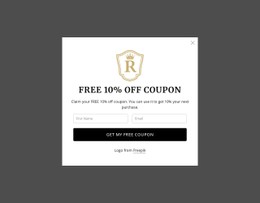
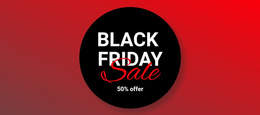
- The Free 10% Off Coupon block can take the loudest fill on the page if the discount keeps strong contrast and a legible font size.
Color alone never explains a badge, so even the brightest one needs readable text. A full circle feels official, and a softer border radius makes an offer friendlier. Extra rings and ribbons add ceremony, but too many turn a small badge into clutter.
Resizing Emblems Across Screen Widths
Smaller screens usually need three changes:
- Reduce seal sizes at tablet and phone widths so a row of awards shrinks evenly.
- Keep label text legible on phones and let longer titles wrap. A tighter line height and extra padding fit both lines inside the border.
- Tighten gaps between badges on narrow screens, stopping before borders touch.
In logo rows such as Our Clients, a shared height and equal gaps keep the group even without stretching any mark. Nicepage's Responsive Modes show each badge block at tablet and phone widths.
Rules Aimed at One Coupon
When one seasonal coupon needs a look the editor's visual controls cannot provide, Nicepage supports Custom CSS for individual elements, specific pages, or an entire site. A separate class for each variant, such as that coupon or a gold award seal, lets you restyle one without touching the rest. A broad selector aimed at every rounded label can also reshape buttons, tags, or a certification seal from another service. Then check the result in Preview, since the editor doesn't execute custom CSS.
A coupon that links to a sale needs visible hover and focus states, while unlinked seals stay unchanged under the cursor. Before calling it finished, compare sizes and contrast on a desktop and a phone, then confirm each custom rule touches only its own badges.