

News Website Templates
Plan a connected news publication, not an isolated landing page. News website templates offer a starting structure for a homepage, topic destinations, individual reports, and essential newsroom pages, with navigation that ties the experience together.


















































More Website Templates from Business & Law Category





Other Business & Law Website Templates
Professional News Website Templates for Multi-Page Publications
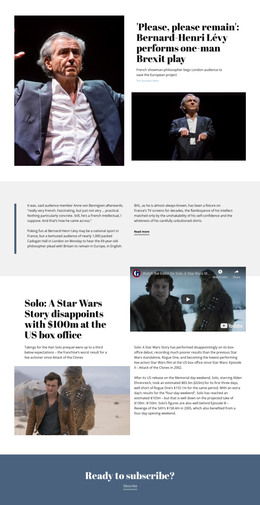
News website templates are intended for publications that need more than a single collection of headlines. A complete news site may include a homepage for current coverage, category pages for distinct topics, separate article destinations, and supporting pages for the newsroom. Readers should be able to move among those areas without losing the context of the story they opened. A template provides a starting design for this architecture; editors still need to plan content, links, and publication procedures.
Build a Clear Route from Homepage to Article
Take a regional newspaper covering a proposed rail extension. A visitor sees the report on the homepage, opens the Transport category to find related coverage, and follows a headline to the full article. From there, a related-story link can lead to an earlier planning decision. That journey relies on meaningful page destinations, not just a collection of attractive cards.
Start by identifying the pages the publication actually needs. A homepage can introduce important coverage, category pages can collect topic-specific entries, and article pages can carry the reporting itself. An independent online outlet might organize investigations by subject, while an industry portal could connect regulation updates to sector-specific analysis. An About page and editorial contact information help readers understand who publishes the work. Make sure the main menu labels match the site's actual sections.
Connect Pages Through News Navigation
The main menu should carry visitors to real topic pages and important publication information. For a growing site, second-level navigation may be useful, but an overly deep menu can make common destinations harder to find.
You can configure page links and menu order with the Menu Element. Its available navigation settings can help keep the same destinations accessible across the homepage and other site pages. Check every menu item after changing page names or adding a new topic area.
Plan Archives Without Assuming Automatic Publication
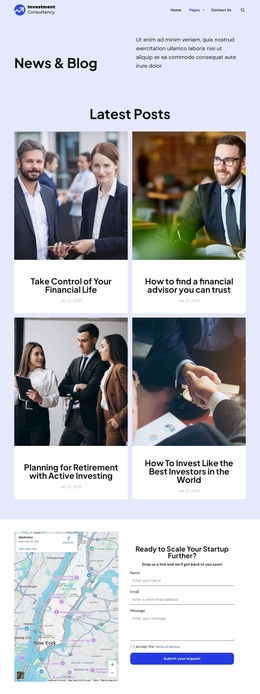
Older reports may need a browsable archive, category listings, or links from newer articles. Nicepage's Blog Page Template offers a starting point for displaying posts and can support features such as category tabs, breadcrumbs, and pagination in relevant setups. Their availability and behavior should be checked in the chosen publishing configuration.
For an archive review, use this compact sequence:
- Find a report published several weeks earlier.
- Open it from its category or archive listing.
- Follow a related-story link without returning to the homepage.
- Check that the archive and article still show recognizable navigation.
An archive layout is not, on its own, a promise of automatic article ingestion, unlimited pagination, or a fully managed newsroom system. Decide how stories will be created and maintained, then check whether the selected Nicepage workflow supports that process. The same applies to HTML publishing with blog posts: verify the appropriate options and inspect the published result.
Before launch, test a complete reader journey:
- Homepage to category: Open a topic destination from a headline or the main menu.
- Category to article: Follow a report and match its title to the preview.
- Article to related coverage: Open an earlier story and verify its relevance.
- Article to category: Confirm a visible route back to the broader topic.
- Archive to older report: Find a previously published story without using the homepage.
- Mobile navigation: Repeat the route using the smaller-screen menu.
Run this journey with actual article URLs rather than placeholder links, and check return paths on both desktop and mobile. A news website template succeeds when those connected destinations work as a coherent publication.