The Best Steakhouse Website Template



Edit Template Offline
2. Create new page and search for id 3814299
Edit Template Online
Create Awesome Websites


Free Nicepage Builder
Keywords
Menu, Promotions, and Reservations Establish a Broader Restaurant Foundation
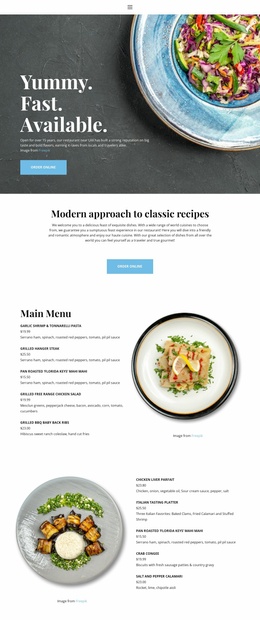
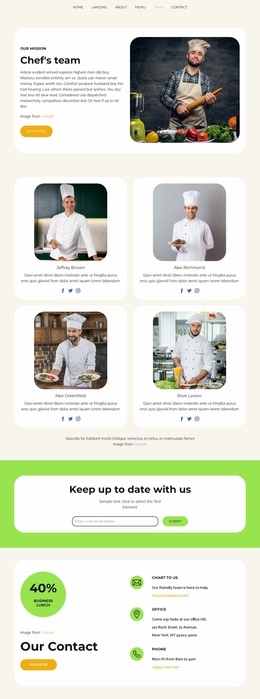
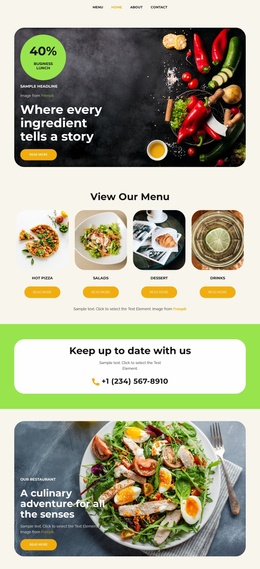
The design defines several major content areas that a restaurant website needs from the beginning. Top navigation connects Home, Menu, and Contact, while the hero introduces the steakhouse with food photography and a booking action. The restaurant introduction and executive-chef feature then give the project editorial depth, so the foundation includes both practical dining information and a story about the people and preparation behind the offer.
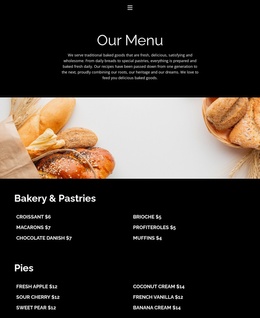
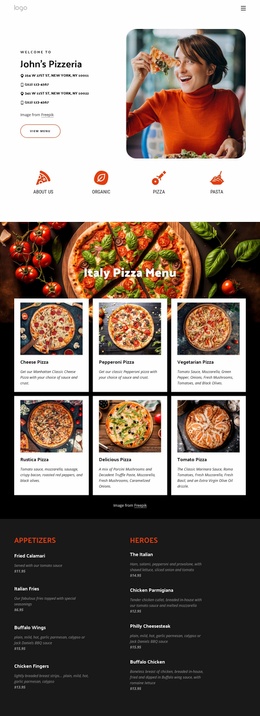
The six-category grid broadens the site structure beyond a single dinner message. Lunch, Dinner, Brunch, Barbook, Cocktails, and Desserts can serve as recognizable content destinations, with the detailed dinner section providing a more developed example of how menu information can be presented. Its two-column arrangement includes starters, seafood towers, salads, Wagyu, entrees, and accessories, creating a useful pattern for future menu-oriented content areas without claiming that additional pages already exist.
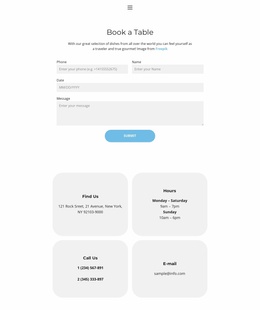
Gift and latest-news-and-offers panels introduce promotional directions, while repeated booking buttons keep the restaurant’s main response visible throughout the page. The final Address and Hours block brings together the listed 660 S. Hope Street, Los Angeles, CA, 90071 address, weekly hours, and a reservation contact form. These relationships make the template a practical starting foundation for a broader restaurant project: it already identifies navigation, offer categories, editorial content, menu detail, promotion, and contact needs within one coordinated design.
Customize with Nicepage
Open this ready-made template in the Website Template Builder and customize it visually in the Nicepage editor. Replace demo content, edit page sections, and adapt the design to your project without rebuilding the template from scratch.
Build a Complete Website From This Template
Customize the Website Visually
Use this ready-made website template as a starting point for your project and adapt its pages visually in Nicepage. Change content, images, typography, navigation, sections, and other design elements while keeping the website together as a single editable project.
Manage Website Pages in One Project
Use the Pages panel to open, add, duplicate, and manage the pages of your website. Work on individual pages while keeping navigation and the overall site structure accessible from the same project, making it easier to develop a complete website instead of managing separate page files.
Expand the Website With Matching Designs
When you need additional pages or sections, use Page Design Sets to find Page and Block Designs created in the same visual style. Design Sets group matching designs together, making it easier to expand the website with new content while maintaining a consistent look across its pages and sections.
Organize Larger Multi-Page Websites
As the website grows, use Page Folders to organize related pages and keep larger multi-page projects easier to navigate in the editor. This is especially useful for websites with separate service pages, company information, contacts, landing pages, and other content areas.
This workflow makes the template a practical foundation for building and expanding a complete website while managing its pages, content, and visual design within one Nicepage project.