We create the assets and infrastructure Website Template


A Corporate Resource Area for Broader Site Projects
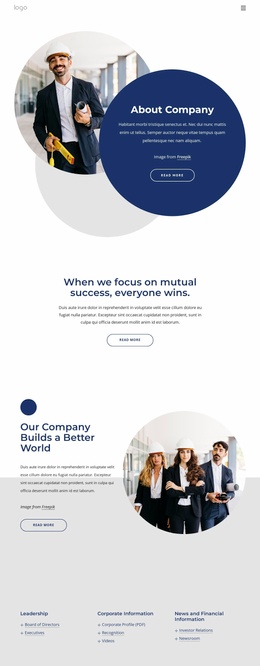
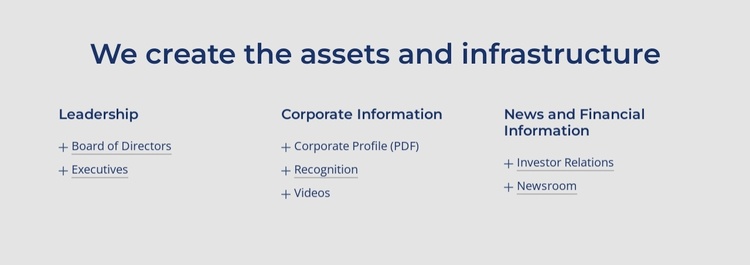
The block defines a stable corporate information area through one heading and three categorized link groups. Leadership gathers Board of Directors and Executives, Corporate Information brings together Corporate Profile (PDF), Recognition, and Videos, and News and Financial Information points to Investor Relations and Newsroom. Because each category has a clear subject and the links remain grouped beneath it, the section can be reused as a distinct resource pattern rather than rebuilt as a loose collection of text links.
Within a broader website project, this block can complement other sections that explain the organization, present services, show media, or provide contact information. Its role is narrower: it helps visitors locate corporate references and related information from one consistent content area. External-target links preserve the separation between this section and the resources it references, while the centered heading gives the group a recognizable entry point.
The light gray background, dark blue typography, blue underlined links, and evenly spaced columns also provide a visual pattern that can coordinate with related corporate sections. Generous whitespace keeps the categories legible and prevents the seven destinations from feeling like one undifferentiated menu. The section contributes useful content structure and visual continuity to a larger website template project, while remaining one reusable block rather than representing the project’s complete page or site architecture.
Customize with Nicepage
Open this ready-made template in the Website Template Builder and customize it visually in the Nicepage editor. Replace demo content, edit page sections, and adapt the design to your project without rebuilding the template from scratch.
Edit Template Offline
2. Create a new page or select existing
3. Click Add new block, search for id 5817538 and click enter
Edit Template Online
Create Awesome Websites


Free Nicepage Builder
Keywords
Build a Complete Website From This Template
Customize the Website Visually
Use this ready-made website template as a starting point for your project and adapt its pages visually in Nicepage. Change content, images, typography, navigation, sections, and other design elements while keeping the website together as a single editable project.
Manage Website Pages in One Project
Use the Pages panel to open, add, duplicate, and manage the pages of your website. Work on individual pages while keeping navigation and the overall site structure accessible from the same project, making it easier to develop a complete website instead of managing separate page files.
Expand the Website With Matching Designs
When you need additional pages or sections, use Page Design Sets to find Page and Block Designs created in the same visual style. Design Sets group matching designs together, making it easier to expand the website with new content while maintaining a consistent look across its pages and sections.
Organize Larger Multi-Page Websites
As the website grows, use Page Folders to organize related pages and keep larger multi-page projects easier to navigate in the editor. This is especially useful for websites with separate service pages, company information, contacts, landing pages, and other content areas.
This workflow makes the template a practical foundation for building and expanding a complete website while managing its pages, content, and visual design within one Nicepage project.