
Mosque HTML Templates
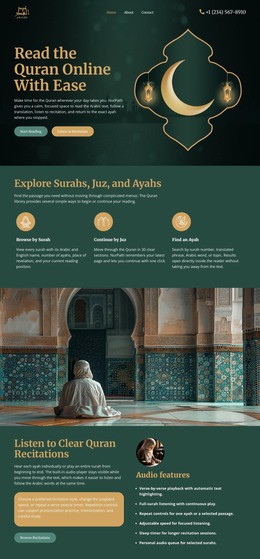
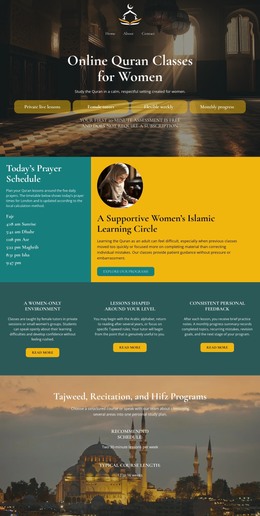
Prayer schedules and Jumu'ah details often need quick updates, while Ramadan notices, classes, events, and visitor guidance must stay easy to scan. These mosque HTML templates organize that content in reusable semantic sections with responsive markup.
More HTML Templates from Architecture & Building Category


























Other Architecture & Building HTML Templates
Responsive Mosque HTML Templates for Clear Community Websites
A mosque HTML template provides you with the source files for a finished design instead of an empty editor. You open the markup, place your own prayer schedule where the placeholder text is, and adjust the styles to match the community. After that, the files go straight to your hosting. For a mosque or an Islamic center working without a developer on staff, that is usually the shortest way from an idea to a live site.
What the Markup Already Handles
The value of a ready-made template lies in how its HTML is structured. A schedule written as a proper table behaves nothing like one glued together out of nested divs, and you notice that the first time you edit it.
- Structured markup for prayer schedules. Daily salah times and Jumu'ah details live in a block you update by changing text, while the layout around them stays untouched.
- Reusable sections for sermons and events. The same markup pattern can be copied for a new khutbah entry or an upcoming lecture, so the page grows without new code.
- Editable HTML and CSS. Colors, spacing, and section order are yours to change directly in the files, which matters when the request comes from the mosque board rather than from a designer.
- Responsive rules that survive editing. Breakpoints for the schedule and the menu are already defined, so a longer Ramadan timetable will not break the phone view.
Working With the Source Before You Publish
Templates differ in how much they expect from you afterward. Before committing to one, open the files and look at three things.
- Heading order. A page that runs from a single H1 through sensible H2 sections is far easier to extend than a page where every title was styled by hand.
- CSS naming. Class names that describe the section tell you exactly where to look when the donation block needs a new background.
- Behavior at narrow widths. Resize the schedule and the navigation first, since those are the parts your congregation opens on a phone.
Nicepage exports the HTML and CSS of a page so you can keep working with the files, and its site settings include an option to export a minimal CSS file for each page along with optimized font loading. Both settings cut down what a browser downloads before the page appears.
Start with the template whose sections most closely match what your community publishes every week. The closer the match, the less markup you rewrite, and the more of your time goes into the content instead of the structure that holds it.