
Merchandise HTML Templates
A fan may want a tour tee and an enamel pin, but each item needs different details before purchase. Merchandise HTML templates organize a short creator drop into readable product cards with images, prices, and relevant options.
-

-

-
-
-
-
-
-
-
-
-
Free Website Builder SoftwareDownload
-
-
-
-
-
-
-
-
-
-
-
-
-
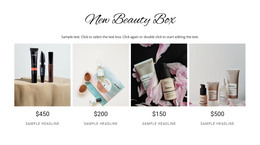


















More HTML Templates from Sale Category



























Other Sale HTML Templates
Smartphone-Optimized Merchandise HTML Templates for Drops and Collections
Merchandise HTML templates give you a finished layout for shirts, totes, and pins, ready for your own artwork. The right one depends on how many items you sell and how you want fans to browse them. Some designs are full pages, while others are single sections you add to an existing page and export together with it.
Picking Layouts by Release Size
The size of a release usually points to one of three layout families:
- A product grid lines up several shirts and accessories and keeps working as the catalog grows.
- A featured collection section pairs one large image of a limited drop with its release date and a short row of products.
- A single-product layout gives one tour shirt or poster the whole screen, with room for close-ups of the print.
A grid lets fans compare four shirt designs at once, which matters when only the print differs. A slider keeps a featured strip compact, but visitors lose that side-by-side view. Check out this Product List Element documentation to switch between Grid and Slider layouts. The same page covers column and spacing controls, along with the available product-button actions.
Showing Prints at Their Real Proportions
Fans buy merch for the artwork, so the photo deserves the largest share of each card. A tour tee usually needs a full shot of the shirt plus a close-up where the tour name and year stay legible.
Accessories bring their own proportions. A tiny enamel pin needs a tight crop and its size in inches, while a tote looks best photographed whole so buyers see where the print falls. Load both photos into a design's image frames before committing and watch for cropped details.
When one shirt comes in three prints, separate cards help fans compare them. Keep sizes and colors of a single print on one card, though switching between them depends on the product setup. Other edits mostly involve swapping print images, names, and links.
Phone Preview Before Export
In a phone-width preview, the print should stay recognizable, and the sizes shouldn't get lost in captions. Each price and button should also stay beside the design it belongs to. Once the layout holds up, Nicepage can export the whole site as HTML, including scripts and images, for you to host yourself. A section can announce a limited drop, but it won't show how many pieces are left.
Keep a template that already fits your collection, since a three-item drop and a catalog that grows every season rarely need the same design.