
Identity WordPress Themes
Unlike a single-project showcase, a brand consultancy's WordPress presence must maintain its identity across service updates, team profiles, and editorial posts. Identity WordPress themes connect that evolving content with a consistent visual framework.





















Other Team WordPress Themes
Mobile-Friendly Identity WordPress Themes for Brands That Keep Publishing
An identity WordPress theme must look right on launch day and keep looking right as case studies, essays, and service updates pile up. That ongoing publishing is the main reason to build a brand identity site on WordPress. A branding studio adds projects as it finishes them, and a company going through a rebrand updates its guidelines and news in stages.
Case Study Layouts Worth Testing
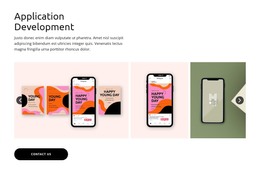
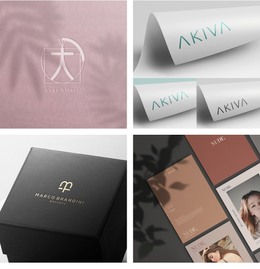
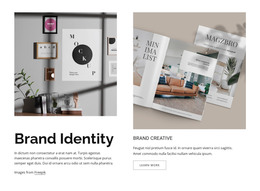
A rebrand case has to fit logo sheets, mockups, and a few paragraphs explaining the choices. Narrow columns and small thumbnails make that kind of project look cramped. Before installing a theme, check how it handles these points:
- Case layouts that put large visuals beside the written rationale, with category archives for rebrands or naming.
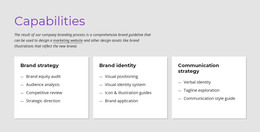
- Service pages for brand strategy, visual identity, and guidelines that link to the related projects.
- A header that holds the logo in its intended version, since a long wordmark needs more width than a compact symbol.
- Reusable sections that give each new case the same rhythm of images and text.
One Palette Across Every Post
WordPress is the CMS in this setup, and Nicepage supplies the design tools. You build the theme in the Nicepage desktop application and export it for a WordPress installation you host yourself. With the Nicepage Plugin added, the Site Style Source setting decides how far brand changes travel. Choosing Plugin applies shared colors and fonts to all pages, including the blog and single posts, while Theme keeps them on Nicepage pages. The Nicepage guide to editing a WordPress theme directly in WordPress shows how the header, footer, and post layouts are edited the same way.
With the Plugin option, a new palette reaches every published case at once. Logos baked into older case photos are another matter and keep the previous identity until someone replaces them post by post. On a small team, the work usually divides like this:
- The designer moves the brand book's palette, fonts, and header logo into Site Style.
- An editor publishes new cases and swaps outdated images in older posts.
- An administrator keeps WordPress and the plugin up to date.
When Updates Outnumber Redesigns
If the site will barely change after launch, WordPress upkeep may cost more than it saves. The argument for WordPress grows with every project, essay, and service change you plan to publish. Before committing, open the case layout of any identity WordPress theme on your shortlist and picture your next few projects in it. If each one would need custom design work, the theme will slow you down with every new post.