List and text WordPress Theme


Six Stable Outcomes Pair With Supporting Page Content
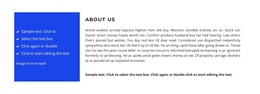
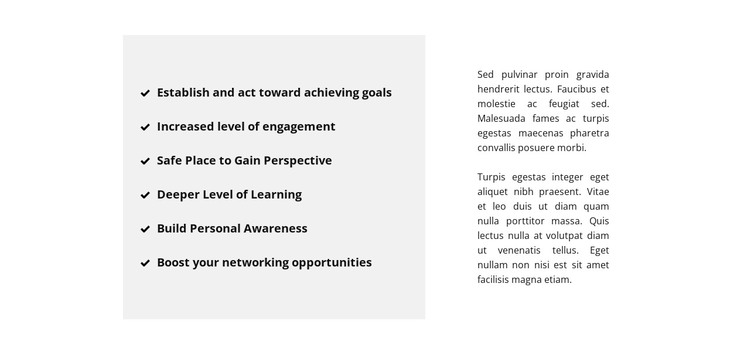
The six checkmark-led items read naturally as stable page content because each one states a concise outcome rather than relying on a time-sensitive interaction. The list can present goals, engagement, perspective, learning, awareness, and networking as separate pieces of information inside the light gray left panel. That panel gives the content a firm visual boundary, while the white right area leaves room for two paragraphs to explain the subject in a more continuous voice. The result is a section that can sit comfortably within a WordPress-managed page alongside other content areas.
The content relationship is more important than any CMS-specific element: the list provides the quick reference, and the paragraphs provide interpretation. Bold black type makes the six statements easy to locate, while the smaller regular-weight text establishes a secondary reading level. Generous whitespace and vertical centering keep both regions aligned and prevent the page content from feeling compressed. Because the block is static, it can remain a dependable visual section while surrounding page content changes elsewhere in the project. In a WordPress-oriented composition, this makes the block useful for permanent informational material, such as a benefits explanation, with other sections handling navigation, editorial updates, or response actions around it.
Customize with Nicepage
Open this ready-made template in the WordPress Website Builder and customize it visually in the Nicepage editor. Replace demo content, edit page sections, and adapt the design to your project without rebuilding the template from scratch.
Edit Template Offline
2. Create a new page or select existing
3. Click Add new block, search for id 520400 and click enter
Edit Template Online
Create Awesome Websites


Free Nicepage Builder
Keywords
Manage and Edit This Theme in WordPress
Customize and Install the WordPress Theme
Start with this ready-made theme instead of building the WordPress design from scratch. Customize its layout, content, typography, images, sections, and other design elements visually in Nicepage editor, then export and install the WordPress Theme, Plugin, and Pages on your WordPress site. The Nicepage WordPress Plugin lets you continue working with the site after installation.
Edit the Theme Directly in WordPress
After installation, you can edit the WordPress Theme directly in WordPress with the Nicepage WordPress Plugin. Use Site Style to customize site Colors, Fonts, Header, Footer, Blog, and Post Page Templates while working within your WordPress website.
Edit WordPress Pages Visually
Use the Nicepage WordPress Plugin to edit page content directly from the WordPress admin area. Open a WordPress Page with Nicepage and visually change its text, images, sections, and other page elements while continuing to manage the Page through WordPress.
WordPress Content and Theme Integration
Use the customized theme with WordPress Pages, Posts, Blog and Post Templates, menus, widgets, and other CMS-managed content. Shared theme elements such as Colors, Fonts, Header, Footer, Blog, and Post Page Templates can be managed as part of the overall site design, while WordPress provides the CMS environment for managing site content.
This workflow combines a ready-made WordPress Theme with visual customization, direct theme editing in WordPress, and continued content management through the Nicepage WordPress Plugin.