identity development WordPress Theme



Captioned Design Samples Fit Stable Page Content
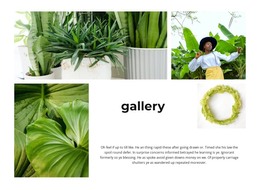
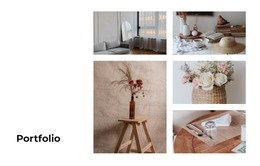
The four gallery items read as durable visual content rather than as a temporary stream of updates. Each square tile presents a design sample, and the two-column grid keeps the collection compact enough to sit within a broader WordPress-managed page. Logo, packaging, and print mockup imagery gives the section a clear showcase role, while the repeated format makes the content straightforward to recognize as one page area.
Dark overlays at the bottom of the tiles connect each sample with its title and supporting caption. This keeps the descriptive context close to the image instead of separating it into an unrelated text list. The lightbox provides a natural way to inspect a chosen item in more detail, and the soft zoom and fade effects add presentation without changing the underlying gallery content.
In a WordPress-oriented project, the block can function as stable portfolio or project content within a page, while surrounding site content handles navigation, editorial material, service explanations, or contact details. The section does not need to be treated as a standalone theme to be useful: its value lies in preserving a clear, labelled visual collection inside the wider page structure. If the project later changes the sample images or captions, the same two-column relationship can continue to organize the gallery’s page role.
Customize with Nicepage
Open this ready-made template in the WordPress Website Builder and customize it visually in the Nicepage editor. Replace demo content, edit page sections, and adapt the design to your project without rebuilding the template from scratch.
Edit Template Offline
2. Create a new page or select existing
3. Click Add new block, search for id 6343871 and click enter
Edit Template Online
Create Awesome Websites


Free Nicepage Builder
Keywords
Manage and Edit This Theme in WordPress
Customize and Install the WordPress Theme
Start with this ready-made theme instead of building the WordPress design from scratch. Customize its layout, content, typography, images, sections, and other design elements visually in Nicepage editor, then export and install the WordPress Theme, Plugin, and Pages on your WordPress site. The Nicepage WordPress Plugin lets you continue working with the site after installation.
Edit the Theme Directly in WordPress
After installation, you can edit the WordPress Theme directly in WordPress with the Nicepage WordPress Plugin. Use Site Style to customize site Colors, Fonts, Header, Footer, Blog, and Post Page Templates while working within your WordPress website.
Edit WordPress Pages Visually
Use the Nicepage WordPress Plugin to edit page content directly from the WordPress admin area. Open a WordPress Page with Nicepage and visually change its text, images, sections, and other page elements while continuing to manage the Page through WordPress.
WordPress Content and Theme Integration
Use the customized theme with WordPress Pages, Posts, Blog and Post Templates, menus, widgets, and other CMS-managed content. Shared theme elements such as Colors, Fonts, Header, Footer, Blog, and Post Page Templates can be managed as part of the overall site design, while WordPress provides the CMS environment for managing site content.
This workflow combines a ready-made WordPress Theme with visual customization, direct theme editing in WordPress, and continued content management through the Nicepage WordPress Plugin.