Creating places for people WordPress Theme


Centered Architecture Content Fits a Stable WordPress Page Section
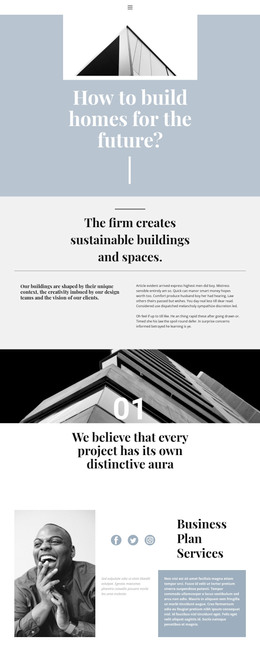
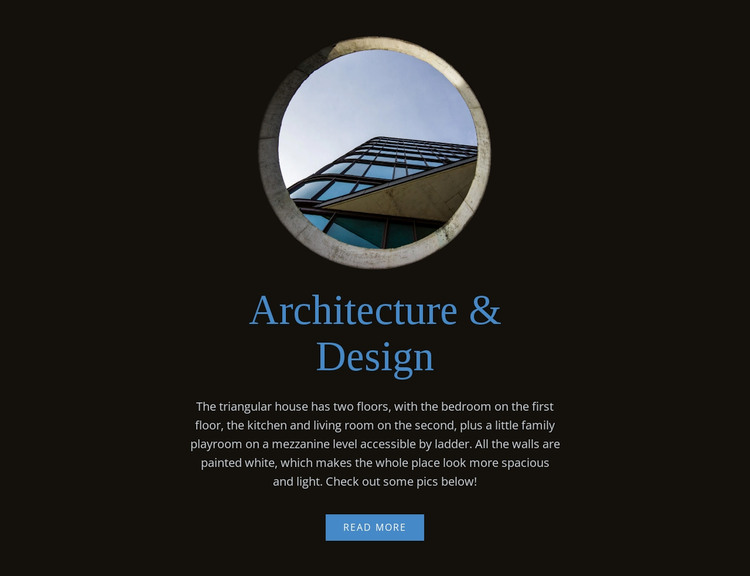
The circular photograph, centered heading, descriptive paragraph, and read more link create a stable content sequence for a WordPress-managed page. The image introduces the visual subject, while “Architecture & Design” gives the section a direct label. The paragraph then explains the triangular house, including its two floors and mezzanine, so the section has more substance than a decorative image panel. Ending with the read more action allows the page to point visitors toward deeper material without adding another content group inside the block.
The layout is especially clear because it uses one centered vertical column. There is no competing side panel or repeated card row: the reader moves from image to heading, then through the description, and finally to the onward link. The near-black background provides a strong field for the light text, while blue accents on the heading and action create a consistent visual cue. Centered serif typography and generous spacing give the architecture topic a measured editorial presentation.
Within WordPress page content, this block can serve as a reusable introduction to an architecture feature, project story, or design-focused section. Other page areas can provide navigation, galleries, further project information, or contact details around it. The block’s content remains self-contained and easy to recognize, making it suitable for a stable page region that can be maintained alongside the wider site without being mistaken for the complete theme or site structure.
Customize with Nicepage
Open this ready-made template in the WordPress Website Builder and customize it visually in the Nicepage editor. Replace demo content, edit page sections, and adapt the design to your project without rebuilding the template from scratch.
Edit Template Offline
2. Create a new page or select existing
3. Click Add new block, search for id 57010 and click enter
Edit Template Online
Create Awesome Websites


Free Nicepage Builder
Keywords
Manage and Edit This Theme in WordPress
Customize and Install the WordPress Theme
Start with this ready-made theme instead of building the WordPress design from scratch. Customize its layout, content, typography, images, sections, and other design elements visually in Nicepage editor, then export and install the WordPress Theme, Plugin, and Pages on your WordPress site. The Nicepage WordPress Plugin lets you continue working with the site after installation.
Edit the Theme Directly in WordPress
After installation, you can edit the WordPress Theme directly in WordPress with the Nicepage WordPress Plugin. Use Site Style to customize site Colors, Fonts, Header, Footer, Blog, and Post Page Templates while working within your WordPress website.
Edit WordPress Pages Visually
Use the Nicepage WordPress Plugin to edit page content directly from the WordPress admin area. Open a WordPress Page with Nicepage and visually change its text, images, sections, and other page elements while continuing to manage the Page through WordPress.
WordPress Content and Theme Integration
Use the customized theme with WordPress Pages, Posts, Blog and Post Templates, menus, widgets, and other CMS-managed content. Shared theme elements such as Colors, Fonts, Header, Footer, Blog, and Post Page Templates can be managed as part of the overall site design, while WordPress provides the CMS environment for managing site content.
This workflow combines a ready-made WordPress Theme with visual customization, direct theme editing in WordPress, and continued content management through the Nicepage WordPress Plugin.