I am freelance graphic designer WordPress Theme


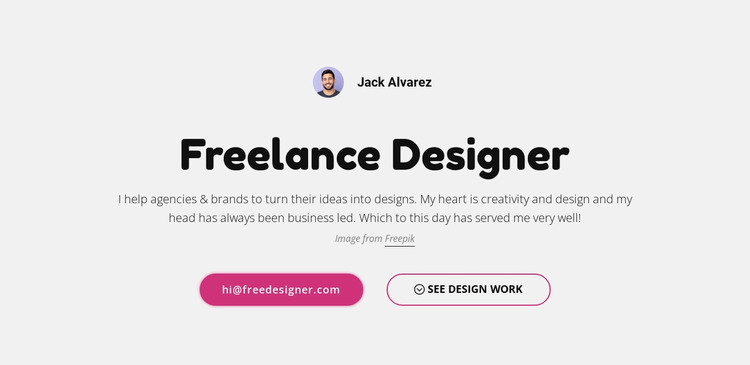
Permanent Profile Content With Separate Contact and Work Routes
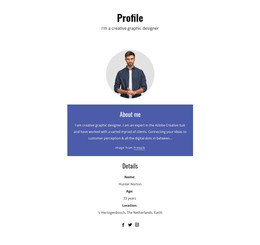
The circular portrait, Jack Alvarez name label, and “Freelance Designer” heading make this section read as enduring personal content rather than a time-sensitive announcement. The paragraph adds a concise description of helping agencies and brands turn ideas into designs, giving the profile a clear informational purpose on a page managed through WordPress. Its centered arrangement keeps the identity and explanation together as one stable content area.
The action row gives that page content two practical continuations. The hi@freedesigner.com email link can support a direct inquiry, while “see design work” can lead toward portfolio material or a related project area. The filled and outlined button treatments distinguish those destinations without changing the section’s compact structure. The light gray field and black type provide a consistent presentation that can remain recognizable when the surrounding page content changes.
In a WordPress-oriented project, this block can serve as a reusable profile section inside a broader page or site. Other content can handle detailed services, case studies, posts, or additional contact information, while this section preserves the designer’s identity and primary routes. Its value is the stable relationship between personal content and actions, not a claim that the section itself supplies the surrounding theme architecture.
Customize with Nicepage
Open this ready-made template in the WordPress Website Builder and customize it visually in the Nicepage editor. Replace demo content, edit page sections, and adapt the design to your project without rebuilding the template from scratch.
Edit Template Offline
2. Create a new page or select existing
3. Click Add new block, search for id 105166 and click enter
Edit Template Online
Create Awesome Websites


Free Nicepage Builder
Keywords
Manage and Edit This Theme in WordPress
Customize and Install the WordPress Theme
Start with this ready-made theme instead of building the WordPress design from scratch. Customize its layout, content, typography, images, sections, and other design elements visually in Nicepage editor, then export and install the WordPress Theme, Plugin, and Pages on your WordPress site. The Nicepage WordPress Plugin lets you continue working with the site after installation.
Edit the Theme Directly in WordPress
After installation, you can edit the WordPress Theme directly in WordPress with the Nicepage WordPress Plugin. Use Site Style to customize site Colors, Fonts, Header, Footer, Blog, and Post Page Templates while working within your WordPress website.
Edit WordPress Pages Visually
Use the Nicepage WordPress Plugin to edit page content directly from the WordPress admin area. Open a WordPress Page with Nicepage and visually change its text, images, sections, and other page elements while continuing to manage the Page through WordPress.
WordPress Content and Theme Integration
Use the customized theme with WordPress Pages, Posts, Blog and Post Templates, menus, widgets, and other CMS-managed content. Shared theme elements such as Colors, Fonts, Header, Footer, Blog, and Post Page Templates can be managed as part of the overall site design, while WordPress provides the CMS environment for managing site content.
This workflow combines a ready-made WordPress Theme with visual customization, direct theme editing in WordPress, and continued content management through the Nicepage WordPress Plugin.