
Brand strategy & identity systems WordPress Theme


Edit Template Offline
2. Create new page and search for id 38709
Edit Template Online
Create Awesome Websites


Free Nicepage Builder
Keywords
Creative Work and Development Content in One Theme Direction
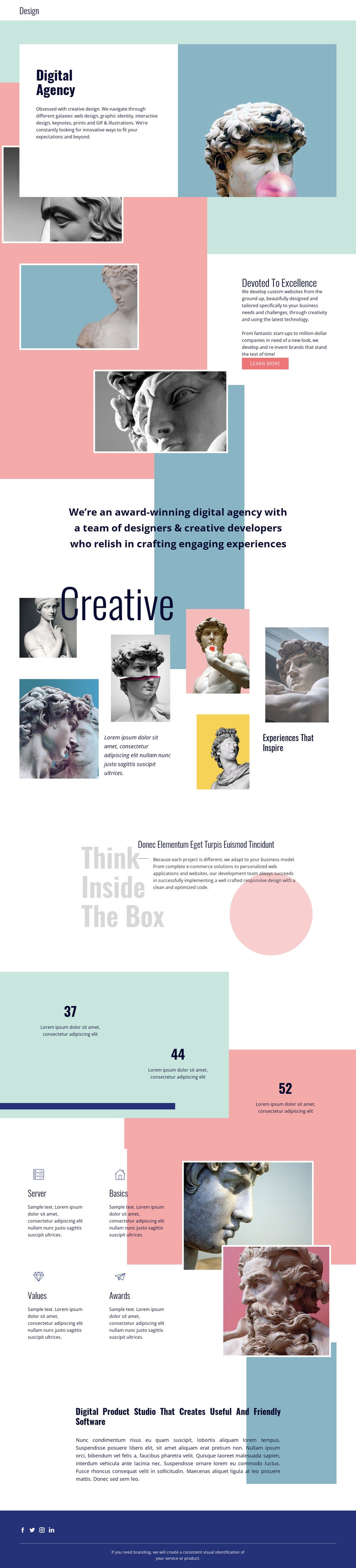
The framed images and editorial headings give this design a clear visual system for WordPress-managed agency content, but its strongest value comes from how different content areas can coexist within that system. The opening Digital Agency section introduces the studio with a large heading, a photographic frame, and overlapping pastel blocks. The next arrangement places custom website and brand development copy beside two images and a Learn more link, creating a page-oriented area for permanent agency information.
The six-image Creative collage can carry project or portfolio material as the visual center of the presentation. Its asymmetrical arrangement is balanced by the Think Inside The Box section, which shifts attention toward development, e-commerce solutions, and the agency’s approach to building digital work. The three numeric highlights and four capability labels then offer shorter content units that could accompany company information or service explanations, while keeping the typography and geometric color language recognizable.
The closing digital product studio statement introduces a further content direction for useful, friendly software rather than limiting the theme to graphic identity. Navigation, mobile navigation, and the social footer provide shared site elements around these page sections. In a WordPress project, the design can therefore support permanent agency pages and evolving content while preserving the relationship between portfolio imagery, service information, and product-focused positioning.
Customize with Nicepage
Open this ready-made template in the WordPress Website Builder and customize it visually in the Nicepage editor. Replace demo content, edit page sections, and adapt the design to your project without rebuilding the template from scratch.
Manage and Edit This Theme in WordPress
Customize and Install the WordPress Theme
Start with this ready-made theme instead of building the WordPress design from scratch. Customize its layout, content, typography, images, sections, and other design elements visually in Nicepage editor, then export and install the WordPress Theme, Plugin, and Pages on your WordPress site. The Nicepage WordPress Plugin lets you continue working with the site after installation.
Edit the Theme Directly in WordPress
After installation, you can edit the WordPress Theme directly in WordPress with the Nicepage WordPress Plugin. Use Site Style to customize site Colors, Fonts, Header, Footer, Blog, and Post Page Templates while working within your WordPress website.
Edit WordPress Pages Visually
Use the Nicepage WordPress Plugin to edit page content directly from the WordPress admin area. Open a WordPress Page with Nicepage and visually change its text, images, sections, and other page elements while continuing to manage the Page through WordPress.
WordPress Content and Theme Integration
Use the customized theme with WordPress Pages, Posts, Blog and Post Templates, menus, widgets, and other CMS-managed content. Shared theme elements such as Colors, Fonts, Header, Footer, Blog, and Post Page Templates can be managed as part of the overall site design, while WordPress provides the CMS environment for managing site content.
This workflow combines a ready-made WordPress Theme with visual customization, direct theme editing in WordPress, and continued content management through the Nicepage WordPress Plugin.





















