Carabilities WordPress Theme


Structured Branding Content for a WordPress-Managed Services Page
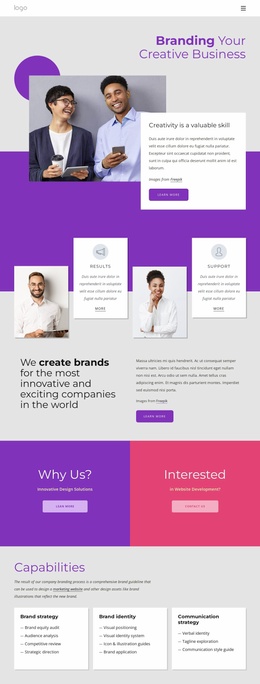
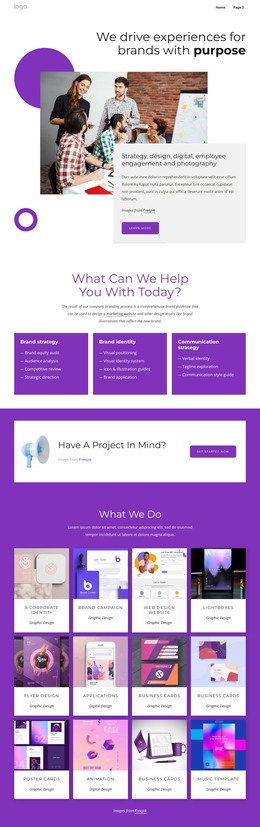
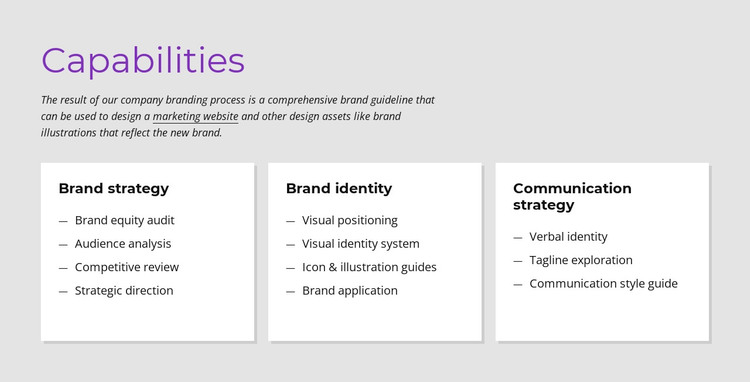
The block’s content is organized around a stable services explanation rather than a time-sensitive post stream. The “Capabilities” heading and supporting paragraph introduce the subject, then the three cards separate Brand strategy, Brand identity, and Communication strategy into readable page-content units. The first category lists Brand equity audit, Audience analysis, Competitive review, and Strategic direction. The second lists four identity-related capabilities, and the third lists Verbal identity, Tagline exploration, and Communication style guide.
That structure fits a WordPress-managed page section because the information can remain part of a broader services or capabilities page while other CMS-managed content develops around it. The repeated white cards preserve the visual relationship between the categories, and the light gray background, purple heading text, dark copy, and subtle shadows give the section a stable presentation. The four-four-three distribution is easy to maintain because each list remains tied to its own category heading.
The WordPress context concerns how the block can participate in a managed page, not a claim that the block itself is a complete theme. A Nicepage WordPress project can place such a section within a wider visual system, while the surrounding site supplies its other pages and content areas. The block is especially suited to durable service information that should remain visually consistent as the broader site is edited. Its value lies in the clarity of the content grouping and the reusable card arrangement.
Customize with Nicepage
Open this ready-made template in the WordPress Website Builder and customize it visually in the Nicepage editor. Replace demo content, edit page sections, and adapt the design to your project without rebuilding the template from scratch.
Edit Template Offline
2. Create a new page or select existing
3. Click Add new block, search for id 427432 and click enter
Edit Template Online
Create Awesome Websites


Free Nicepage Builder
Keywords
Manage and Edit This Theme in WordPress
Customize and Install the WordPress Theme
Start with this ready-made theme instead of building the WordPress design from scratch. Customize its layout, content, typography, images, sections, and other design elements visually in Nicepage editor, then export and install the WordPress Theme, Plugin, and Pages on your WordPress site. The Nicepage WordPress Plugin lets you continue working with the site after installation.
Edit the Theme Directly in WordPress
After installation, you can edit the WordPress Theme directly in WordPress with the Nicepage WordPress Plugin. Use Site Style to customize site Colors, Fonts, Header, Footer, Blog, and Post Page Templates while working within your WordPress website.
Edit WordPress Pages Visually
Use the Nicepage WordPress Plugin to edit page content directly from the WordPress admin area. Open a WordPress Page with Nicepage and visually change its text, images, sections, and other page elements while continuing to manage the Page through WordPress.
WordPress Content and Theme Integration
Use the customized theme with WordPress Pages, Posts, Blog and Post Templates, menus, widgets, and other CMS-managed content. Shared theme elements such as Colors, Fonts, Header, Footer, Blog, and Post Page Templates can be managed as part of the overall site design, while WordPress provides the CMS environment for managing site content.
This workflow combines a ready-made WordPress Theme with visual customization, direct theme editing in WordPress, and continued content management through the Nicepage WordPress Plugin.