Reduce your carbon footprint WordPress Theme


Centered Editorial Content for a WordPress-Managed Page
The heading and paragraph read as stable page content rather than a time-sensitive list of updates. “10 Habits of Minimalist Living” introduces the subject, while the italic subheading and supporting text develop a measured idea: people can take time to find how minimalism suits their lifestyle. The single read-more link can connect this concise introduction with fuller material elsewhere in the surrounding WordPress-managed project. The block therefore works as a focused content region rather than as an entire theme or page structure.
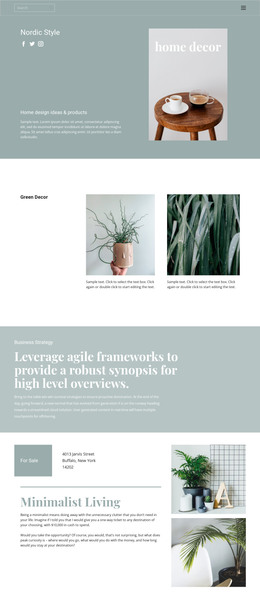
Its visual treatment helps the section remain recognizable when placed alongside other content. Four botanical leaf images frame the central text area, leaving the heading and paragraph as the primary reading group. The light-gray background provides separation, and dark green typography carries a consistent relationship between the editorial message, leaf imagery, and understated link. In a WordPress-oriented context, this block can serve as permanent content on a suitable page while the wider project handles additional pages, editorial material, and site-level organization. The section’s value comes from preserving its clear text hierarchy and botanical framing as reusable page content.
Customize with Nicepage
Open this ready-made template in the WordPress Website Builder and customize it visually in the Nicepage editor. Replace demo content, edit page sections, and adapt the design to your project without rebuilding the template from scratch.
Edit Template Offline
2. Create a new page or select existing
3. Click Add new block, search for id 50663 and click enter
Edit Template Online
Create Awesome Websites


Free Nicepage Builder
Keywords
Manage and Edit This Theme in WordPress
Customize and Install the WordPress Theme
Start with this ready-made theme instead of building the WordPress design from scratch. Customize its layout, content, typography, images, sections, and other design elements visually in Nicepage editor, then export and install the WordPress Theme, Plugin, and Pages on your WordPress site. The Nicepage WordPress Plugin lets you continue working with the site after installation.
Edit the Theme Directly in WordPress
After installation, you can edit the WordPress Theme directly in WordPress with the Nicepage WordPress Plugin. Use Site Style to customize site Colors, Fonts, Header, Footer, Blog, and Post Page Templates while working within your WordPress website.
Edit WordPress Pages Visually
Use the Nicepage WordPress Plugin to edit page content directly from the WordPress admin area. Open a WordPress Page with Nicepage and visually change its text, images, sections, and other page elements while continuing to manage the Page through WordPress.
WordPress Content and Theme Integration
Use the customized theme with WordPress Pages, Posts, Blog and Post Templates, menus, widgets, and other CMS-managed content. Shared theme elements such as Colors, Fonts, Header, Footer, Blog, and Post Page Templates can be managed as part of the overall site design, while WordPress provides the CMS environment for managing site content.
This workflow combines a ready-made WordPress Theme with visual customization, direct theme editing in WordPress, and continued content management through the Nicepage WordPress Plugin.