Contact us block with dark background WordPress Theme


Permanent contact content fits the split page section
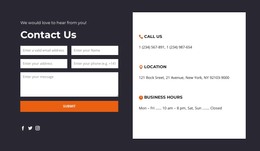
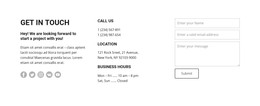
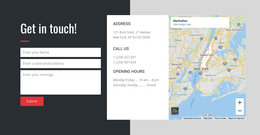
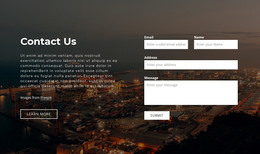
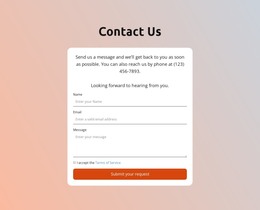
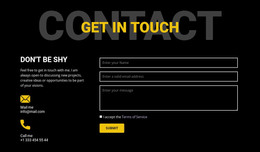
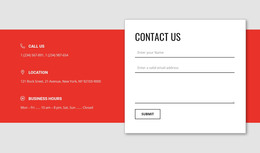
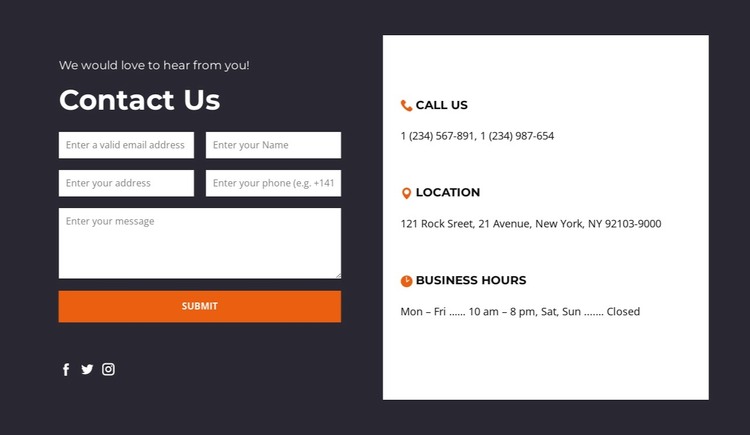
The form and information panel give this block a clear page-oriented content role. On the left, visitors can enter an email, name, address, phone, and message, then use Submit to send an inquiry. On the right, Call Us, Location, and Business Hours provide three stable reference entries that can remain useful as surrounding site content develops. The three social icons add a secondary connection beneath the form without turning the section into an editorial feed.
For a WordPress-managed page, this arrangement works as a reusable contact section whose visual treatment stays consistent with the wider design. The dark charcoal form side concentrates the interactive content, while the white panel makes practical details easy to scan. Orange accents connect the action and social icons, and the large heading hierarchy gives the section a durable identity that can be placed on a contact page or another relevant content area.
The WordPress interpretation concerns how this stable section participates in publishable page content. It does not require the block to be treated as a complete WordPress Theme, nor does it establish Posts, categories, or widgets inside the section. The broader CMS project can manage its own pages and content while this block retains its verified contact structure and visual role.
Customize with Nicepage
Open this ready-made template in the WordPress Website Builder and customize it visually in the Nicepage editor. Replace demo content, edit page sections, and adapt the design to your project without rebuilding the template from scratch.
Edit Template Offline
2. Create a new page or select existing
3. Click Add new block, search for id 6030075 and click enter
Edit Template Online
Create Awesome Websites


Free Nicepage Builder
Keywords
Manage and Edit This Theme in WordPress
Customize and Install the WordPress Theme
Start with this ready-made theme instead of building the WordPress design from scratch. Customize its layout, content, typography, images, sections, and other design elements visually in Nicepage editor, then export and install the WordPress Theme, Plugin, and Pages on your WordPress site. The Nicepage WordPress Plugin lets you continue working with the site after installation.
Edit the Theme Directly in WordPress
After installation, you can edit the WordPress Theme directly in WordPress with the Nicepage WordPress Plugin. Use Site Style to customize site Colors, Fonts, Header, Footer, Blog, and Post Page Templates while working within your WordPress website.
Edit WordPress Pages Visually
Use the Nicepage WordPress Plugin to edit page content directly from the WordPress admin area. Open a WordPress Page with Nicepage and visually change its text, images, sections, and other page elements while continuing to manage the Page through WordPress.
WordPress Content and Theme Integration
Use the customized theme with WordPress Pages, Posts, Blog and Post Templates, menus, widgets, and other CMS-managed content. Shared theme elements such as Colors, Fonts, Header, Footer, Blog, and Post Page Templates can be managed as part of the overall site design, while WordPress provides the CMS environment for managing site content.
This workflow combines a ready-made WordPress Theme with visual customization, direct theme editing in WordPress, and continued content management through the Nicepage WordPress Plugin.