Subscribe popup WordPress Theme


Stable Subscription Content Inside a WordPress Page
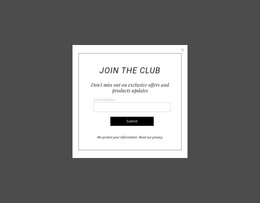
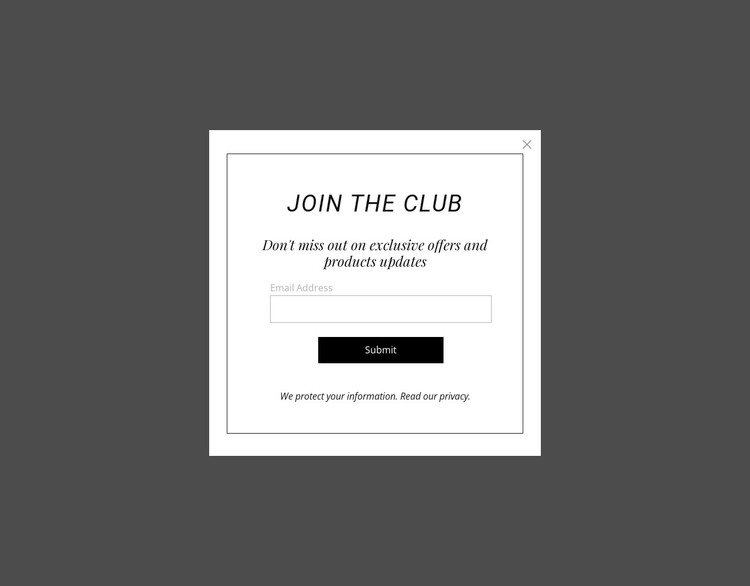
The “JOIN THE CLUB” panel reads as stable page content centered on one subscription purpose. Its heading introduces the invitation, the promotional paragraph supplies context, and the email field leads to one submit button. The privacy note supports the information request, while the close control belongs to the panel’s modal presentation and gives visitors a separate way to dismiss it. This content relationship makes the section suitable for a WordPress-managed page where a focused email-update prompt needs to retain a consistent visual arrangement.
The centered white panel and darkened overlay help preserve that arrangement as a recognizable content region. The border defines the panel, generous white space separates the vertical groups, and the contrast between uppercase heading and italic serif text gives the prompt a local visual character. A broader WordPress project can place other publishable content around it without asking this section to carry navigation, page architecture, or unrelated editorial functions.
The WordPress Theme interpretation concerns how this reusable section can participate in CMS-managed page content, not a standalone theme supplied by the block. If the project uses Nicepage for WordPress, the WordPress Theme, Plugin, and Pages workflow provides product context for the surrounding site. The panel itself remains the focused subscription region with its own form, privacy note, response action, and dismissal control.
Customize with Nicepage
Open this ready-made template in the WordPress Website Builder and customize it visually in the Nicepage editor. Replace demo content, edit page sections, and adapt the design to your project without rebuilding the template from scratch.
Edit Template Offline
2. Create a new page or select existing
3. Click Add new block, search for id 124042 and click enter
Edit Template Online
Create Awesome Websites


Free Nicepage Builder
Keywords
Manage and Edit This Theme in WordPress
Customize and Install the WordPress Theme
Start with this ready-made theme instead of building the WordPress design from scratch. Customize its layout, content, typography, images, sections, and other design elements visually in Nicepage editor, then export and install the WordPress Theme, Plugin, and Pages on your WordPress site. The Nicepage WordPress Plugin lets you continue working with the site after installation.
Edit the Theme Directly in WordPress
After installation, you can edit the WordPress Theme directly in WordPress with the Nicepage WordPress Plugin. Use Site Style to customize site Colors, Fonts, Header, Footer, Blog, and Post Page Templates while working within your WordPress website.
Edit WordPress Pages Visually
Use the Nicepage WordPress Plugin to edit page content directly from the WordPress admin area. Open a WordPress Page with Nicepage and visually change its text, images, sections, and other page elements while continuing to manage the Page through WordPress.
WordPress Content and Theme Integration
Use the customized theme with WordPress Pages, Posts, Blog and Post Templates, menus, widgets, and other CMS-managed content. Shared theme elements such as Colors, Fonts, Header, Footer, Blog, and Post Page Templates can be managed as part of the overall site design, while WordPress provides the CMS environment for managing site content.
This workflow combines a ready-made WordPress Theme with visual customization, direct theme editing in WordPress, and continued content management through the Nicepage WordPress Plugin.