Exclusive offer WordPress Theme


Stable Fashion Content With a Separate Promotional Region
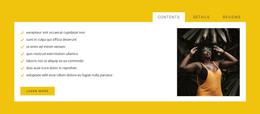
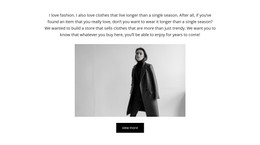
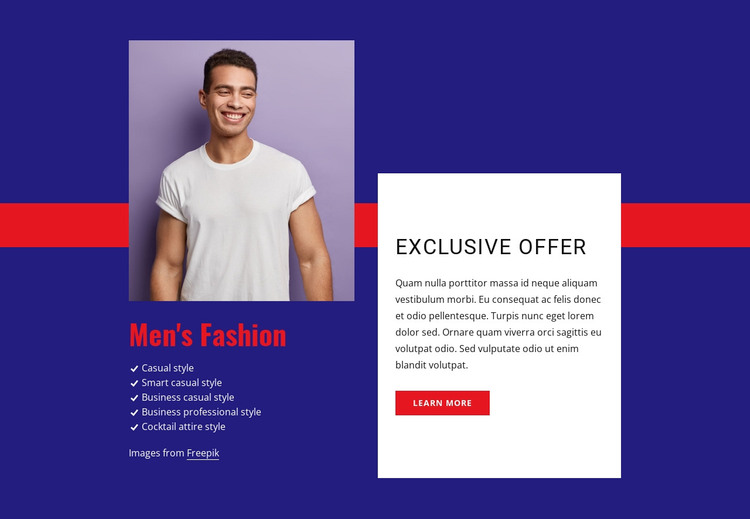
The “Men’s Fashion” heading and five style categories form stable, page-oriented content that can fit naturally into a WordPress-managed fashion site. Casual, smart casual, business casual, business professional, and cocktail attire are presented as a concise range rather than as separate pages or independent records. The portrait above the list gives the content a visual entry point, while the left-side arrangement keeps the style information grouped as one recognizable section.
The right-side white panel gives the page content a distinct promotional region. Its “Exclusive Offer” heading, supporting paragraph, and “learn more” button can be maintained alongside the fashion categories without blending the offer into the list. This separation is useful when the surrounding project needs to update promotional wording while preserving the broader style presentation. The button offers a next step, but the section itself remains one reusable content area rather than a complete theme or site.
The deep indigo background and red accent band can help this page section align with related WordPress-managed content that uses the same visual direction. Large condensed headings establish hierarchy, while generous spacing keeps the portrait, categories, and offer panel readable as separate groups. The block can therefore support a stable fashion or services page while the wider CMS project supplies other content areas and publishing structure.
Customize with Nicepage
Open this ready-made template in the WordPress Website Builder and customize it visually in the Nicepage editor. Replace demo content, edit page sections, and adapt the design to your project without rebuilding the template from scratch.
Edit Template Offline
2. Create a new page or select existing
3. Click Add new block, search for id 183105 and click enter
Edit Template Online
Create Awesome Websites


Free Nicepage Builder
Keywords
Manage and Edit This Theme in WordPress
Customize and Install the WordPress Theme
Start with this ready-made theme instead of building the WordPress design from scratch. Customize its layout, content, typography, images, sections, and other design elements visually in Nicepage editor, then export and install the WordPress Theme, Plugin, and Pages on your WordPress site. The Nicepage WordPress Plugin lets you continue working with the site after installation.
Edit the Theme Directly in WordPress
After installation, you can edit the WordPress Theme directly in WordPress with the Nicepage WordPress Plugin. Use Site Style to customize site Colors, Fonts, Header, Footer, Blog, and Post Page Templates while working within your WordPress website.
Edit WordPress Pages Visually
Use the Nicepage WordPress Plugin to edit page content directly from the WordPress admin area. Open a WordPress Page with Nicepage and visually change its text, images, sections, and other page elements while continuing to manage the Page through WordPress.
WordPress Content and Theme Integration
Use the customized theme with WordPress Pages, Posts, Blog and Post Templates, menus, widgets, and other CMS-managed content. Shared theme elements such as Colors, Fonts, Header, Footer, Blog, and Post Page Templates can be managed as part of the overall site design, while WordPress provides the CMS environment for managing site content.
This workflow combines a ready-made WordPress Theme with visual customization, direct theme editing in WordPress, and continued content management through the Nicepage WordPress Plugin.