Audi luxury cars Website Template


Edit Template Offline
2. Create new page and search for id 17195
Edit Template Online
Create Awesome Websites


Free Nicepage Builder
Keywords
Model information and recurring feature areas provide a foundation for expansion
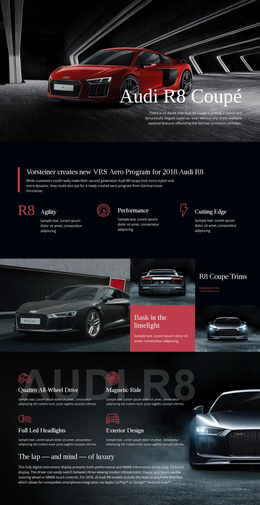
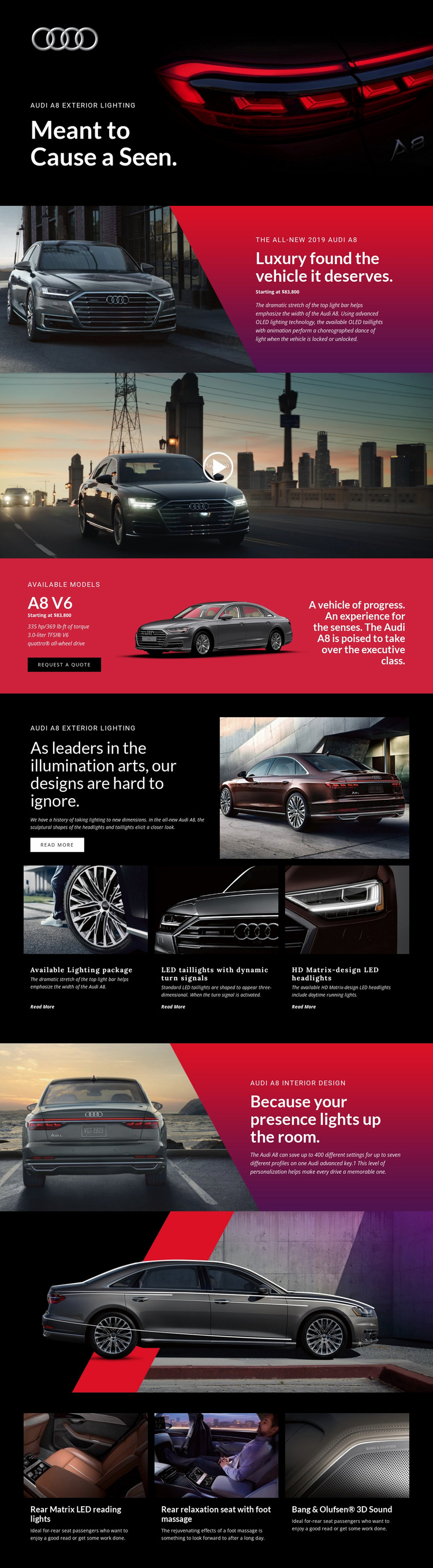
The design already identifies several major website content categories that can support a broader automotive project. The hero and introductory split establish the Audi A8 and its exterior-lighting theme, while the A8 V6 section organizes model information around the engine, output, torque, quattro all-wheel drive, displayed price, vehicle image, and Request a Quote action. These areas give a potential site a clear product and response foundation rather than only a decorative homepage.
The repeated feature groups create additional directions for expansion. Three exterior-lighting items can support related technology or model-detail content, while the interior design section and three-panel comfort row cover personalization, rear Matrix LED reading lights, relaxation seating, and Bang & Olufsen 3D Sound. The full-width video and wide vehicle image contribute reusable media patterns that can be carried into related vehicle or feature pages without changing the core visual language. Although the analysis confirms one page rather than a complete multi-page set, its content areas provide a practical project structure: introduction, model detail, specifications, exterior technology, interior experience, media, and inquiry. Additional pages could grow from those categories while retaining the dark backgrounds, bright accents, and image-led presentation.
Customize with Nicepage
Open this ready-made template in the Website Template Builder and customize it visually in the Nicepage editor. Replace demo content, edit page sections, and adapt the design to your project without rebuilding the template from scratch.
Build a Complete Website From This Template
Customize the Website Visually
Use this ready-made website template as a starting point for your project and adapt its pages visually in Nicepage. Change content, images, typography, navigation, sections, and other design elements while keeping the website together as a single editable project.
Manage Website Pages in One Project
Use the Pages panel to open, add, duplicate, and manage the pages of your website. Work on individual pages while keeping navigation and the overall site structure accessible from the same project, making it easier to develop a complete website instead of managing separate page files.
Expand the Website With Matching Designs
When you need additional pages or sections, use Page Design Sets to find Page and Block Designs created in the same visual style. Design Sets group matching designs together, making it easier to expand the website with new content while maintaining a consistent look across its pages and sections.
Organize Larger Multi-Page Websites
As the website grows, use Page Folders to organize related pages and keep larger multi-page projects easier to navigate in the editor. This is especially useful for websites with separate service pages, company information, contacts, landing pages, and other content areas.
This workflow makes the template a practical foundation for building and expanding a complete website while managing its pages, content, and visual design within one Nicepage project.