
Announcement Message HTML Templates
A clear announcement needs more than visual emphasis: its headline, context, and optional action must remain logically structured. Ready-made HTML templates provide reusable markup for service notices, promotions, maintenance alerts, and other short updates.

































































Other Text On Image HTML Templates
Ready-to-use Announcement Message HTML Templates
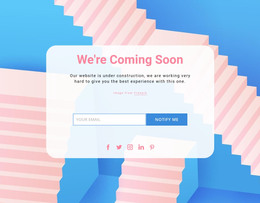
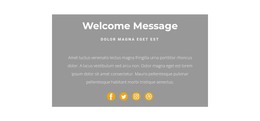
Give urgent updates, promotional notices, and service alerts a clear place in the markup. Announcement message HTML templates provide reusable sections for notices displayed on the site itself, rather than announcement emails, so a new message never means new code.
Clean Markup Behind Short Site Notices
The whole notice belongs in one container marked as a separate region, ideally with a label screen readers can announce. A maintenance alert needs little more than a heading, the expected completion time, and a status link. An event update carries a date, location, and registration link instead.
A practical announcement HTML structure can follow this sequence:
- a short heading that names the notice;
- a paragraph that explains the change, offer, or event;
- a separate element for the date, status, or deadline, so it can be updated without rewriting a sentence;
- one call to action, included only when visitors need to act.
Secondary details like terms or affected regions follow in small elements of their own, easy to edit or drop.
Close Buttons and Calls to Action
A dismissible notice needs a real close button with a label such as "Dismiss announcement," because a bare icon gives assistive technology nothing useful to read. A clickable icon in a plain container is worse, since keyboard users cannot reach it. Before settling on a template, check its code for a few more details:
- the CTA is a link when it opens another page and a button when the action happens in place;
- an "alert" role appears only on notices urgent enough to interrupt a screen reader, like a checkout outage, never a weekend coupon;
- the heading level fits the page around it instead of adding a second main heading.
Reusable HTML Sections When Copy Changes
Announcement content often changes more frequently than the surrounding page. When a store swaps a holiday-hours notice for a promotion, stable markup turns that into new text and a new link.
Mobile layouts reveal whether the markup order is logical, because once the parts stack, visitors encounter them in the order the code presents them. The CTA should follow the text it depends on, wherever it sits on a wide screen. Nicepage provides Responsive Modes for reviewing layouts from large screens down to phones, a quick way to confirm that order everywhere.
Blocks can provide a reusable starting section, while the announcement remains regular text rather than an image.
A good HTML template for announcements lets you replace the headline, status details, and CTA without rebuilding the section. If a switch from maintenance notice to sale takes more edits than that, the markup is working too hard.