

Express Website Templates
A traveler with ten minutes before departure needs the correct station exit, an early breakfast menu, and an accurate pickup cutoff. Express website templates connect these details across dedicated pages instead of one crowded banner.






More Website Templates from Text On Image Category







Other Text On Image Website Templates
Ready-to-Use Express Website Templates
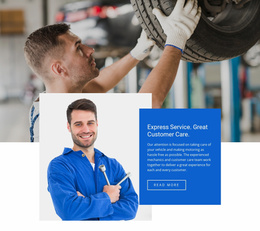
Browse these express website templates, and you'll see the word express doing two jobs. In many designs, it promises speed, whether you run a café, a clinic, or a babysitting service. The car repair block spells it out: "Express Service. Great Customer Care." Elsewhere, it means expressing yourself, from an "Express Gratitude" card to a fashion editorial about personal style.
Single Blocks for Fast Service Businesses
The service designs are mostly single blocks, and each one leads with something different:
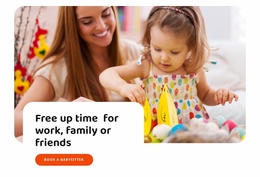
- Express Babysitting Service sets "Free up time for work, family or friends" over a parent and toddler photo, above an orange "Book a Babysitter" button.
- Express Medical Care runs "We're Always Ready To Help" over a clinician in scrubs, a calm opener for a pain or dental clinic.
- A towing company will feel at home in Vehicle Breakdown And Recovery, with its repair shots and bright blue panel.
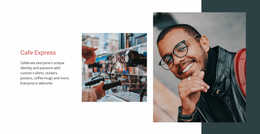
- Express Cafe frames a coffee photo and a portrait against dark teal, and its brand text suits a café selling merch.
Each one fits into a site you already run, and the babysitting block includes a matching set of sections for new pages.
Expressive Pages About Happiness and Fashion
The second group reads express as showing feelings or taste, and its designs run longer:
- A personal growth blog can start from Habits of Happy People, which opens with "7 Ways To Be Happy Now" and later invites readers to subscribe.
- Coaches who post short tips might like the positive thinking design, where "Express Gratitude" shares a row of cards with "Enjoy every moment."
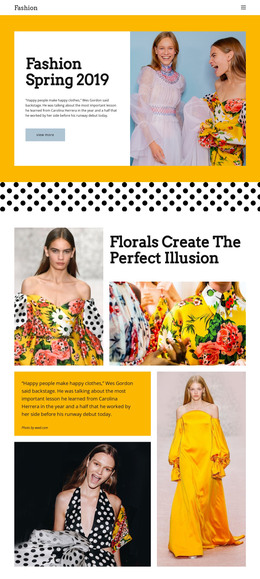
- A boutique or young label gets a seasonal collection story in Fashion Spring, with florals, an editorial on self-expression, and a ready-to-wear feature.
These designs give you a whole homepage at once. If you can't fill the journal prompts or the fashion archive with real content, cut them.
What to Change Before Going Live
Start with button labels. "Book a Babysitter" tells parents what happens after the tap, while a plain "Read more" on the car block could become "Request a tow." Next, swap in your own photos and tune the colors to your logo. Signup forms, like the one in the medical newsletter design, need a destination, such as an email address or Mailchimp.
For a café, clinic, or garage that people visit in person, check out the Google Maps element info. It will help you add a map and set a location by address, map point, or embed code.
Finally, open the phone preview. If the headline and main button don't share the first screen, try the next design.