
Textarea CSS Templates
Long responses need enough writing space and clear visual feedback. Textarea CSS Templates help shape field dimensions, borders, spacing, and responsive states while keeping custom styling focused on multiline input.






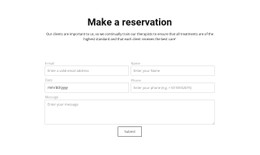
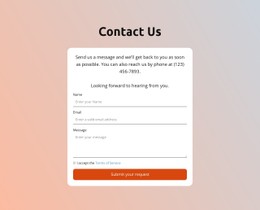
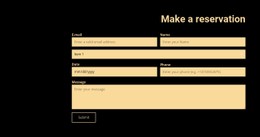

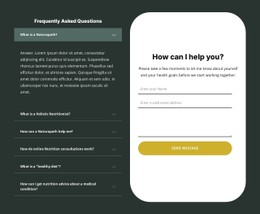




























































Other Contacts CSS Templates
Textarea CSS Templates for Long Answers
A textarea collects sentences, not a name or an email address, so the rules that suit a single-line field leave it cramped. What a template really settles is the writing area: how deep the field opens, how the text sits inside it, how far it can be dragged, and what changes on focus.
A dependable starting point provides the field a full width, a ceiling near 640px, a minimum height of around 140px, padding of near 12px by 14px, a thin gray border with a small radius, inherited typography, a line height of 1.5, vertical-only resizing, and border-box sizing.
Size, Padding, Resize, Focus States
Each of those decisions earns its place for a reason:
- "min-height" opens the field deep enough that the first lines of a reply stay visible while it is written;
- "max-width" at 100% with "box-sizing: border-box" keeps the field inside its container on narrow screens instead of pushing the layout sideways;
- "line-height" near 1.5 keeps a long answer readable during typing, not only after sending;
- "resize: vertical" lets people grow the field while blocking the sideways drag that breaks the surrounding column;
- A visible focus outline or a stronger border color shows which field is active, which matters most to keyboard users.
Two compromises are worth naming. A tall fixed height looks generous on a desktop and clumsy on a phone, so a minimum height plus a percentage width is safer. And "resize: none" protects the layout, yet it traps anyone whose answer runs longer than you predicted; a maximum height with automatic vertical overflow solves that more kindly.
Three Practical Style Variants
A compact feedback box can stay near a minimum depth of 90px with tighter padding, since two or three sentences are its realistic ceiling. A support request deserves 180px, a looser line height, and a maximum height, so that a pasted log scrolls rather than stretching the layout. A project brief goes further: a wider ceiling, around 240px of depth, and enough padding that a full screen never touches the border.
Custom Class Rules Without Rebuilding
Nicepage covers routine appearance through Form Input Styling, including font, fill, border, and related properties. When a multiline field needs its own behavior, Custom CSS Code is the narrower route: assign a class such as "feedback-textarea" in the Property Panel, then apply a single rule to control minimum depth, vertical resizing, focus border, and mobile width. The Custom CSS documentation explains how to add rules and assign classes.
Pick a template based on the volume of text you expect and how the field should behave when someone exceeds it, not on how it looks while empty.