
Clock Website Templates
Watch retailers and clockmakers often need separate spaces for collections, individual models, brand heritage, repairs, and store information. A coordinated website template connects those destinations through shared navigation and consistent site-wide presentation.



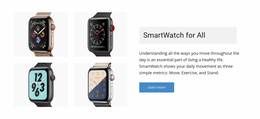
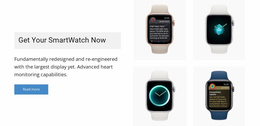



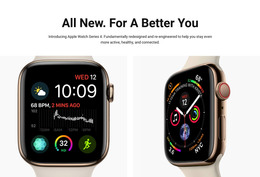
More Website Templates from Technology Category

























Other Technology Website Templates
Clock Website Templates for Makers, Shops, and Time Tools
Somebody who arrives at a clock site is rarely there for one thing. They compare three wall models, wonder whether the shop still repairs old mechanisms, and then go looking for the workshop behind the brand. A clock website template gives you a ready visual design plus the sections where each of those errands can live. Away from retail, the breadth is similar: a world clock site that shows live time in a dozen cities, a time zone converter, and a note on daylight saving.
Which Sections a Clock Brand Needs
The sections come from the business itself. A wall clock manufacturer groups its products by size or by room, explains materials and mechanisms in the middle, and finishes with dealers and support. A time tool published in the browser starts with the live clock, adds a feature summary and a zone directory, and then a start button.
A catalog of any size asks for the same handful of areas:
- a home screen showing the range and the current release
- a collection index with filters by size, mechanism, or room
- a detailed view carrying dimensions, movement, and power
- support and contact areas reachable from anywhere
Navigation Built for Long Catalogs
Once a catalog grows beyond what fits on a single screen, browsing alone is no longer enough. People arrive knowing the diameter they need, the mechanism they prefer, or that the bedroom clock must be silent. A search field and a few honest filters carry more weight here than the opening image, and comparing two models should not mean losing the first one.
Links between related areas do the rest. A detail view mentioning a quartz movement can include a brief explanation of accuracy and battery life, which then sends the reader back to the models that use it.
Support Content Customers Come Back To
Clocks return to their sellers. Batteries die, a pendulum needs resetting after a move, and an alarm refuses to repeat on weekdays. Repairs, warranty terms, and installation notes deserve their own section, accessible without a hunt through the catalog.
Nicepage documents the Header Block as a site element that appears across the entire website, so the logo, menu, and contact details stay put while everything else changes.
When you open a demo, walk it the way a customer with a problem would: find a model, find its size, then find how to get it repaired two years from now. A design that keeps all three within a few clicks of each other survives contact with a real catalog, whether the product hangs on a wall or runs in a browser tab.