Digital world of technology Website Template


Edit Template Offline
2. Create new page and search for id 20573
Edit Template Online
Create Awesome Websites


Free Nicepage Builder
Keywords
Galaxy Categories and Product Stories Establish a Broader Site Foundation
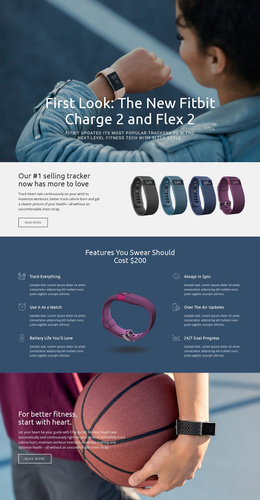
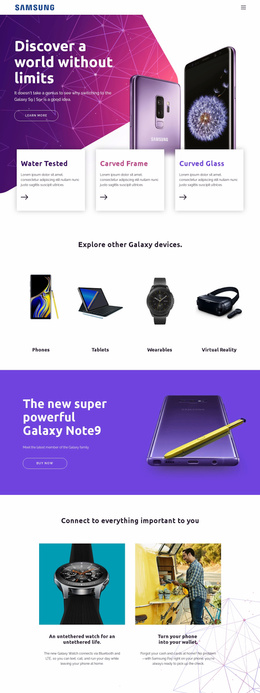
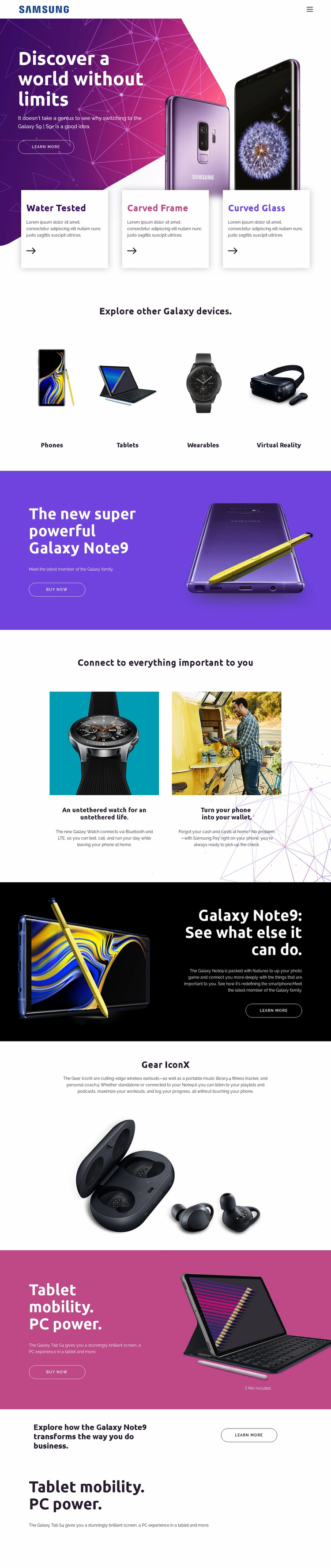
The page already defines several major content areas that could anchor a wider consumer-technology website. The opening Galaxy phone hero can serve as the primary product introduction, while the four-category grid creates a clear division between Phones, Tablets, Wearables, and Virtual Reality. Those categories provide a natural basis for expanding related product information without changing the page’s central visual direction.
The remaining sections show how different content types can coexist within that foundation. Galaxy Note9 receives both a product promotion and a capabilities explanation; Galaxy Watch and Samsung Pay form a connected-device feature area; Gear IconX supplies an accessory-focused story; and Galaxy Tab S4 introduces a separate tablet campaign. The business-use statement adds a use-case region, while repeated Learn more and Buy now actions identify places where future product or commercial pages could connect.
Because the verified design is one long page, it should not be described as an existing multi-page website. Its value as a website template is that its navigation, content categories, product panels, and recurring promotional patterns provide an information architecture for further growth. Additional pages could follow these established roles—device category, individual product, connected service, business use, or purchase path—while preserving the saturated color system, image-led presentation, and recognizable Galaxy-oriented hierarchy.
Customize with Nicepage
Open this ready-made template in the Website Template Builder and customize it visually in the Nicepage editor. Replace demo content, edit page sections, and adapt the design to your project without rebuilding the template from scratch.
Build a Complete Website From This Template
Customize the Website Visually
Use this ready-made website template as a starting point for your project and adapt its pages visually in Nicepage. Change content, images, typography, navigation, sections, and other design elements while keeping the website together as a single editable project.
Manage Website Pages in One Project
Use the Pages panel to open, add, duplicate, and manage the pages of your website. Work on individual pages while keeping navigation and the overall site structure accessible from the same project, making it easier to develop a complete website instead of managing separate page files.
Expand the Website With Matching Designs
When you need additional pages or sections, use Page Design Sets to find Page and Block Designs created in the same visual style. Design Sets group matching designs together, making it easier to expand the website with new content while maintaining a consistent look across its pages and sections.
Organize Larger Multi-Page Websites
As the website grows, use Page Folders to organize related pages and keep larger multi-page projects easier to navigate in the editor. This is especially useful for websites with separate service pages, company information, contacts, landing pages, and other content areas.
This workflow makes the template a practical foundation for building and expanding a complete website while managing its pages, content, and visual design within one Nicepage project.