About virtual reality Website Template


Edit Template Offline
2. Create new page and search for id 685660
Edit Template Online
Create Awesome Websites


Free Nicepage Builder
Keywords
VR Benefits, Education, and Safety Establish a Broader Site Foundation
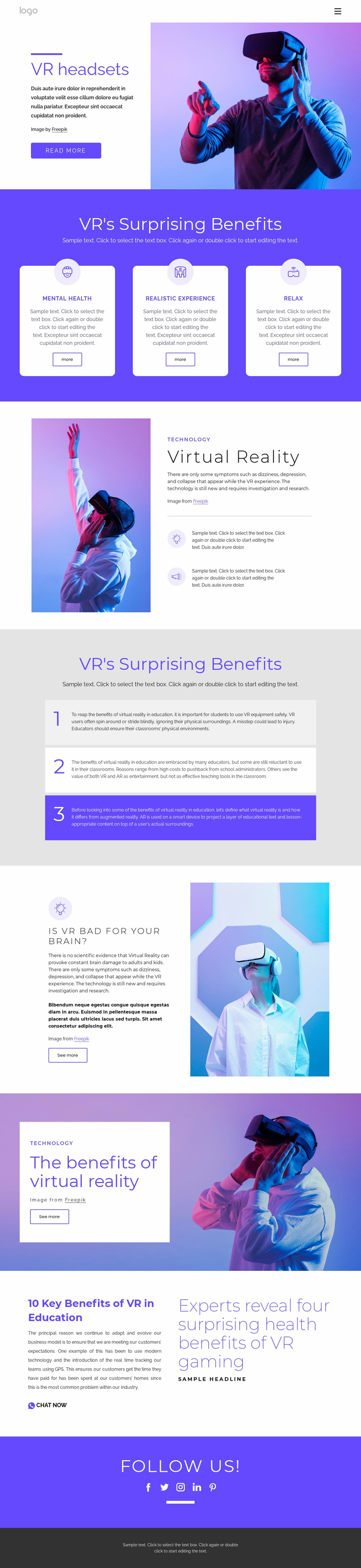
The design already defines several major content areas that can anchor a wider virtual reality website. The opening VR headsets section introduces the subject with a photograph, explanatory copy, and Read more action. The three rounded benefit cards then provide a reusable pattern for topic groups such as Mental Health, Realistic Experience, and Relax. A separate Virtual Reality section adds foundational explanation, a source line, and two supporting points, giving the project both overview and detail-oriented content areas.
The three numbered education panels extend the foundation into a more specific audience or use context. The safety question creates another distinct subject area, while the image-backed benefits section and the editorial headline about VR gaming and health support more promotional or publication-oriented content. These differences suggest possible directions for related pages without claiming that additional pages already exist in the template. They show how the existing design separates educational, safety, benefit, and editorial themes.
The Chat Now link, five social network icons, navigation, and dark footer provide connection and shared-site regions around that content. Purple backgrounds, white cards, large sans-serif headings, and headset photography can remain the common visual system as a project grows. Its website-template value is therefore the combination of clearly defined content categories and a coherent starting structure that can support expansion beyond the verified page.
Customize with Nicepage
Open this ready-made template in the Website Template Builder and customize it visually in the Nicepage editor. Replace demo content, edit page sections, and adapt the design to your project without rebuilding the template from scratch.
Build a Complete Website From This Template
Customize the Website Visually
Use this ready-made website template as a starting point for your project and adapt its pages visually in Nicepage. Change content, images, typography, navigation, sections, and other design elements while keeping the website together as a single editable project.
Manage Website Pages in One Project
Use the Pages panel to open, add, duplicate, and manage the pages of your website. Work on individual pages while keeping navigation and the overall site structure accessible from the same project, making it easier to develop a complete website instead of managing separate page files.
Expand the Website With Matching Designs
When you need additional pages or sections, use Page Design Sets to find Page and Block Designs created in the same visual style. Design Sets group matching designs together, making it easier to expand the website with new content while maintaining a consistent look across its pages and sections.
Organize Larger Multi-Page Websites
As the website grows, use Page Folders to organize related pages and keep larger multi-page projects easier to navigate in the editor. This is especially useful for websites with separate service pages, company information, contacts, landing pages, and other content areas.
This workflow makes the template a practical foundation for building and expanding a complete website while managing its pages, content, and visual design within one Nicepage project.