
Border CSS Templates
Outlines lose their purpose when every element receives the same emphasis. Border CSS templates use deliberate line treatments, spacing, and contrast to distinguish cards, panels, feature groups, and larger content areas.



































































































Other Text CSS Templates
Flexible Border CSS Templates for Panels, Cards, and Grids
When every panel on a page wears the same dark outline, borders stop telling visitors what matters. Border CSS templates solve that up front, since each line pulls its border-width, border-style, and border-color from the role it plays. Set once and reused, those values give your content a finished edge system.
Giving Every Edge Its Job
Visual weight comes from contrast and placement as much as from thickness, and well-built border sets divide the work like this:
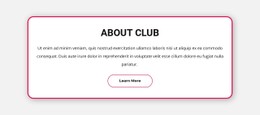
- a strong full frame for the main panel, sometimes with a modest border-radius;
- lighter outlines for repeated cards, where a paler border-color often does more than a thinner line;
- side-specific dividers, like a single border-bottom or border-inline-start, instead of four edges on every item;
- an accent edge reserved for states like a selected plan, so the highlight always means something.
A panel framed at full strength that holds nested cards with equally dark edges gives the eye nowhere to rest. Lightening the inner border-color, or swapping inner outlines for a soft background tint, usually fixes it. Rounding needs restraint too, because a grid where every cell is curved starts to resemble a blister pack.
Where Neighboring Cards Meet
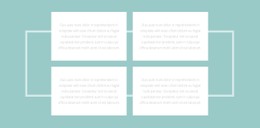
Fully bordered cards placed edge to edge in a Grid or Flexbox row double their inner lines, so the middle looks twice as heavy as the outer frame. Templates fix this in one of these ways:
- a gap between cards, so each keeps its own complete frame;
- borders only on the right and bottom of every card, with the container supplying the top and left edges;
- one outline on the container plus internal dividers, which reads as a single table.
The second method needs care at breakpoints. A vertical divider between two columns has nothing to separate once the cards stack, leaving a stray line along each card. Careful templates reset side-specific borders in their media queries, turning vertical dividers into horizontal ones.
Shared Values and State Changes
Reusable templates store border values in custom properties, so a darker brand needs a single edit to the color, width, or radius, and every card updates. Hover and focus states belong to that system too, so a colored edge on hover should reuse the accent reserved for selected items.
A promo card can have its own exception, but once unique border declarations pile up card by card, every subsequent change becomes patchwork. In Nicepage, the visual controls cover most border settings, and Custom CSS Code handles the rest. A border CSS template is ready for your brand when a single change to the main line color propagates to every component that should follow it.