
Arrival Departure Board Html Code Examples
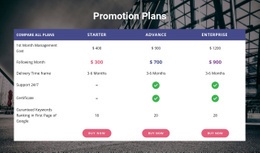
Developers responsible for airport and station information screens often need more than a fixed timetable. An editable HTML front end allows service IDs, revised times, and platform messages to connect to project-specific update logic after export.
-
-

-
-
-
-
-
-
-
Customize Any TemplateDownload








More Website & HTML Templates for Arrival Departure Board














More Html Code Examples from Travel & Hotels Category









































Other Travel & Hotels Html Code Examples
Flexible Arrival Departure Board HTML Code
Arrival departure board HTML code is what you edit when a board must match your own transport data. An airline feed may send a flight number with a terminal and a gate. A railway source may use train IDs and platforms instead. With the markup open, you can add columns, rename headings, and give status cells their own classes. A script then fills in fresh values, keeping each time and gate tied to the right service.
Markup Behind Each Service Record
If you write the board yourself, a few markup habits save trouble later:
- Put column names in the "thead" of a real "table" element, with one row per service in the "tbody" section.
- Mark header cells with a "scope" attribute set to "col" so screen readers pair each value with its column.
- Add a class such as "status delayed" to the status cell to highlight a late flight without touching its text.
- Give every row a "data-flight-id" attribute so a script can find that exact service.
Since boards are sorted by time, a delayed flight can drop several rows. A script that updates "the third row" would then rewrite the wrong service. HTML holds the content here, while JavaScript copies values from your JSON feed into the matching cells.
When Delays and Cancellations Hit
If a departure moves from "On Time" to "Delayed" with a new time, the script should show it next to the scheduled one. A cancellation should also clear the gate and any boarding message, since they would send people to the wrong place. Write feed values with "textContent" and keep "innerHTML" for markup you control. Status changes need words too, because color alone misses some readers. Boards normally show local time, so confirm which time zone the feed uses. Before launch, run the board through these cases:
- An unassigned gate shows "Not assigned" so the cell never looks broken.
- A gate change after loading updates one row and leaves similar rows alone.
- A failed request leaves a visible "last updated" time, so old data never passes for current.
Connecting Custom Logic After Export
A small board can live inside Nicepage's HTML Element, which accepts your own markup and JavaScript. It doesn't provide an airline database, a railway API, or automatic refreshes. For bigger changes, export the project. The official HTML site export guide covers the folder, ZIP, and FTP options and notes which editor supports each. Nicepage cannot import edited files back, so a fresh export will not carry your manual changes. The board is ready when your feed can change any value and the right row changes with it.