
Social Html Code Examples

































































Social HTML Code for Accessible Profile and Share Links
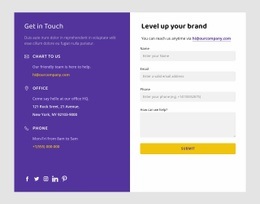
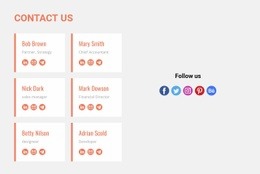
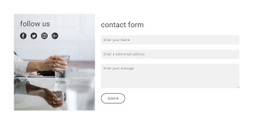
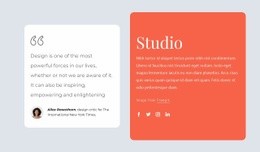
Social HTML Code is about the implementation details behind social UI: semantic links, icon markup, accessible labels, reusable classes, and safe external-link behavior. A compact profile row may look simple in the browser. However, its HTML still needs to make the destination and action understandable to visitors using different input methods or assistive technology.
Nicepage can provide the visual Social Icons Element and HTML-oriented output workflow, while developers can evaluate the resulting structure when a project requires code-level integration or extension.
What Belongs in Social HTML Implementation?
The implementation can be visually simple while still requiring careful markup and interaction behavior. Common pieces include:
- semantic
<a>links for profile and share destinations; - icon markup with an accessible name when visible text is absent;
- reusable classes for icon rows, profile links, and share controls;
- deliberate
targetandrelbehavior for external destinations; - visible keyboard focus and usable interaction states;
- optional handles or supporting text when the destination needs context.
Nicepage's Social Icons Element can provide the visual starting point, while code-level review becomes relevant when the exported or integrated result needs project-specific implementation details.
Build Reusable Social Link Markup
For code-oriented work, consistency matters more than repeating one-off markup for every network. A reusable social-link pattern can account for:
- meaningful
<a>elements for destinations and share actions; - accessible names when an icon has no visible text label;
- reusable classes for icon groups and individual links;
targetbehavior chosen deliberately for external destinations;- appropriate
relvalues when links open a new browsing context; - clear focus states and keyboard access alongside hover styling.
This makes the code intent materially different from a ready-made HTML template: the concern here is how the social interaction is implemented, not which finished layout is selected.
Keep the Markup Tied to the Actual Action
Use link text, accessible names, classes, and interaction states that describe what the control does. A profile destination, share action, email link, and partner logo may look compact, but their markup and accessible meaning should reflect different user actions rather than relying on icon appearance alone.
Prepare Social Icons for the Section Layout
The Social Icons Element can be adjusted to fit the visual hierarchy of the surrounding content before the page enters its HTML output workflow. These changes affect how visitors perceive the available platforms without altering the section's basic purpose.
Useful adjustments include:
- choosing only relevant social destinations;
- assigning the correct social link to each icon;
- adding another icon when an additional platform is needed;
- uploading a custom social icon where appropriate;
- changing the size of the icon group;
- adjusting spacing between icons;
- adapting Social Icon colors to the section presentation.
The goal is a Social block that remains clear as part of the complete page composition. HTML is the output context; profile discovery, following, and sharing remain the visitor-facing functions of the section.
Social HTML Code Questions
What Should Social HTML Code Handle?
It can handle semantic profile or share links, icon markup, accessible names, reusable classes, external-link behavior, keyboard focus, and optional visible labels or handles.
When Is Code-Level Work Useful with Nicepage Social Icons?
The Social Icons Element can configure common visual links, while code-level work is useful when a project needs to review or extend markup, accessibility, reusable classes, link behavior, or integration details.
Can I add a custom social-network icon?
Yes. Nicepage allows an icon in the Social Icons Element to be replaced with an uploaded custom social icon and linked to the required external destination.
What Makes an Icon-Only Social Link Accessible?
The link should expose an understandable accessible name even when no visible text label appears beside the icon. Keyboard focus should also remain visible.
Prepare Social UI for HTML Implementation
Start from the profile or share actions the interface needs, then check the implementation details:
- use semantic links for real destinations;
- expose understandable accessible names for icon-only controls;
- keep reusable classes consistent across repeated social UI;
- choose
targetandrelbehavior deliberately; - preserve visible keyboard focus and interaction feedback;
- verify that optional labels or handles clarify rather than duplicate the action.
The result is an implementation-focused social UI pattern. Its distinction comes from markup, accessibility, and link behavior—not from inventing a separate template taxonomy.






















































