
520 Technology Html Code Examples








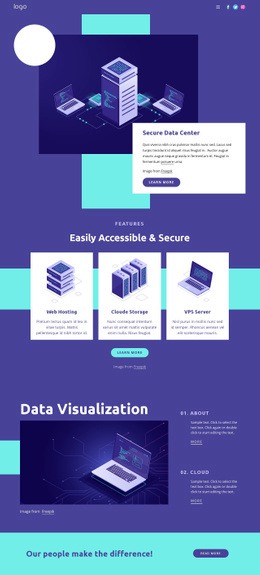










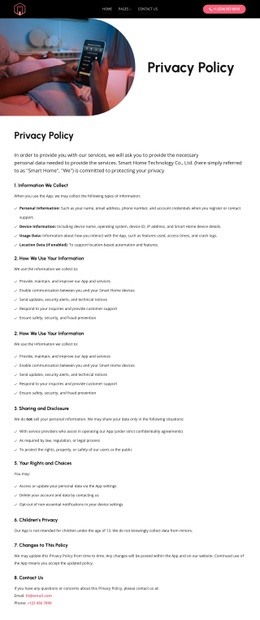




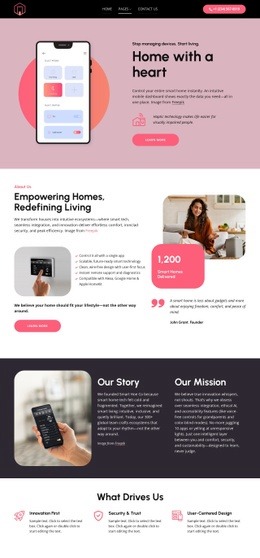




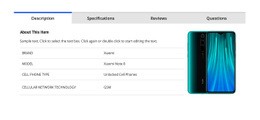

































































Fast-Loading Technology HTML Code for Software and Network Sites
HTML code is built around control over the markup and the files that extend beyond the visual editor. SaaS teams, network providers, cybersecurity companies, and electronics brands can visually compose product demos, technical specification sections, integration sections, status widgets, or API-related content, then extend them with custom snippets, export HTML/CSS, and pass the result into a developer workflow for further customization.
Which Technology Projects Benefit from Code-Oriented HTML?
A network-focused project can use a network technology direction to frame infrastructure, connectivity, monitoring, or service architecture. For security products, a hacker-oriented visual concept can support darker, interface-led sections while keeping the underlying HTML available for technical extension.
- SaaS teams: add product demos, embedded tools, integration sections, and account-related interface components.
- Network providers: structure status information, infrastructure details, service data, or monitoring-related content. - Security companies: combine technical capability sections with custom embeds or implementation notes.
- Electronics brands: present specification areas, compatibility information, and interactive product content that may require additional markup or styling.
Nicepage lets you build the general composition visually, then use code-specific tools when standard elements aren't enough. The official HTML export workflow covers projects created in the Windows or macOS applications, while the HTML Element and Custom CSS provide direct places for custom markup and styling before or after handoff.
High-Performance Features for Technology HTML Projects
A code-oriented workflow matters most when the final project must remain editable outside the visual builder:
- HTML Element: insert custom markup for a status widget, embedded product demo, API-related content block, integration badge, technical tool, or other component that is not available as a standard element; the HTML Element documentation explains this mechanism.
- Custom CSS: refine technical tables, comparison grids, embedded interface elements, specification areas, or custom states when standard styling controls do not cover the requirement.
- HTML Export: generate HTML/CSS files that can be reviewed, handed to a developer, uploaded to external hosting, or continued inside another development workflow.
- Editable output: keep sections logically separated so developers can identify product demos, integration areas, specs, API-related content, and status components in the exported codebase.
- Developer handoff: use the visual editor for composition, then continue with manual code changes when the technology project requires custom behavior or tighter integration with an existing system.
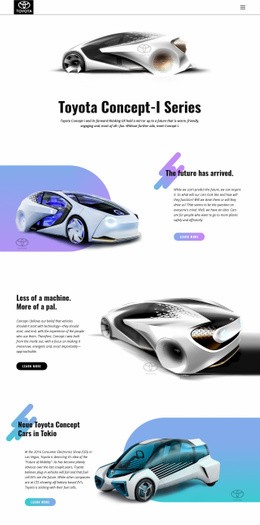
An electronics company can connect product specifications and visual sections with an electric technology concept, while developers retain access to the resulting HTML/CSS for further implementation.
The practical difference between choosing an HTML template and a custom layout comes down to what happens after the initial layout. Here, the workflow centers on markup, custom snippets, exported files, and ongoing code work. A ready template provides a front-end structure to adapt; technology HTML code is more relevant when you need to inspect, embed, extend, or integrate the output into an existing project.
Ready-To-Use Technology HTML Questions
Can I host a technology HTML website on a third-party hosting provider?
Yes. Nicepage allows unlimited third-party hosting. You can upload static HTML sites exported from Nicepage to hosting you manage separately, and the exported files can remain part of a broader developer workflow.
Can I add custom CSS to a software or network website?
Yes. Nicepage supports custom CSS for individual elements, a page, or the whole website. It is useful when technical tables, embedded product components, interface states, or other custom sections need styling beyond the standard visual controls.
Can developers continue working with the exported HTML and CSS?
Yes. The HTML export workflow produces website files you can review, hand off, host externally, and further customize in a code-based development process.
How can I insert custom technical code into a technology page?
Use the HTML Element when you need external markup for a product demo, status widget, API-related section, integration component, or another specialized element. Keep the custom code focused on the technical requirement so the rest of the page remains manageable in the visual editor.
Advanced HTML Output for Developer Handoff
Move from visual composition to a codebase that can continue evolving:
- Build the product, status, integration, specification, or demo sections in Nicepage.
- Add required HTML snippets or custom CSS for technical components.
- Export the HTML/CSS files and hand them to a developer, integrate them into an existing project, or continue customizing the code directly.
You can start visually without giving up access to the final markup. The main value isn't just a finished layout, but a technology page whose HTML/CSS can carry into a real development workflow.





















































